Change Password
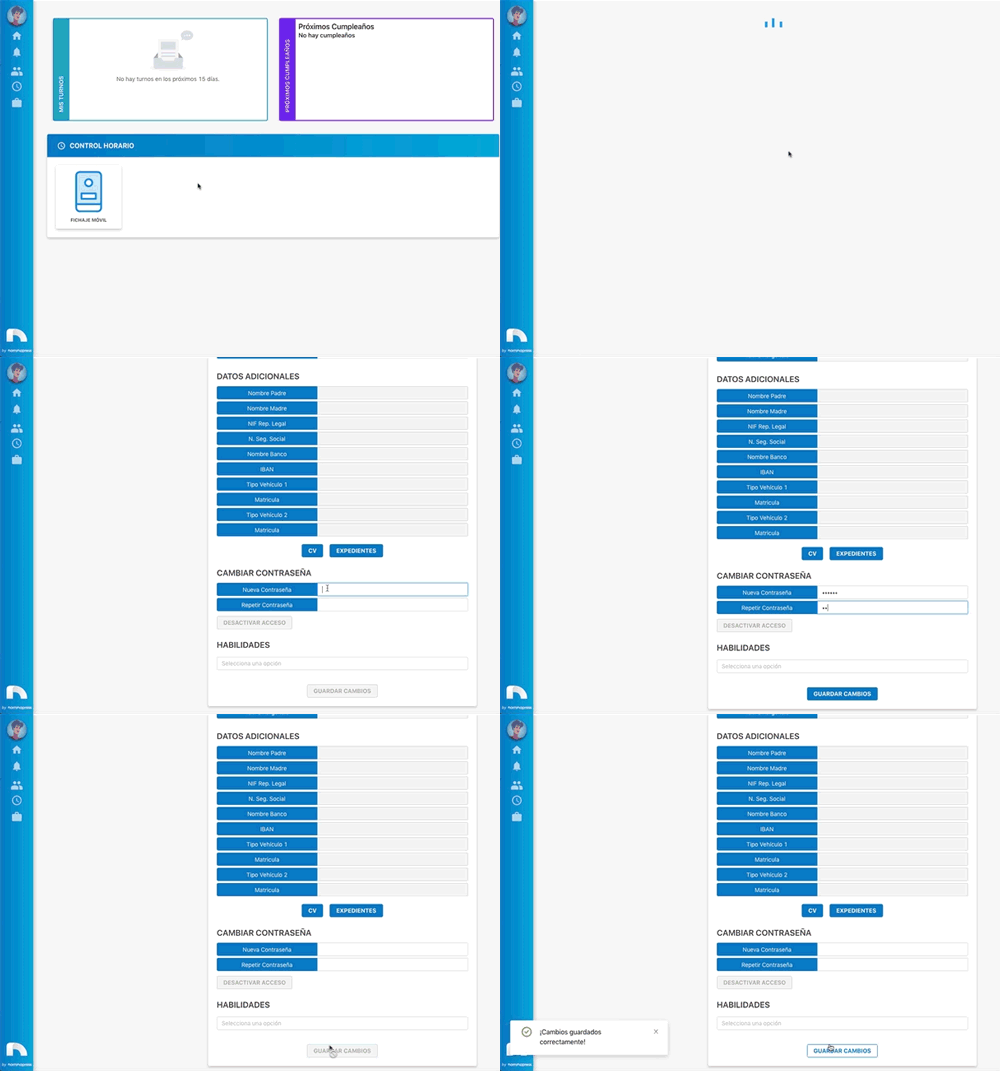
To change a user's password:
-
Open the app menu and under Users, access User List.
-
Find the user and click View Profile.
-
Once you've accessed the profile, click Information.
-
In the Change password section, type the new password.
-
Click Save changes.
Important
For an employee to access their account for the first time, you must assign them a provisional password. Then, when the employee logs in, they must change it to avoid unwanted logins.