Create a new budget
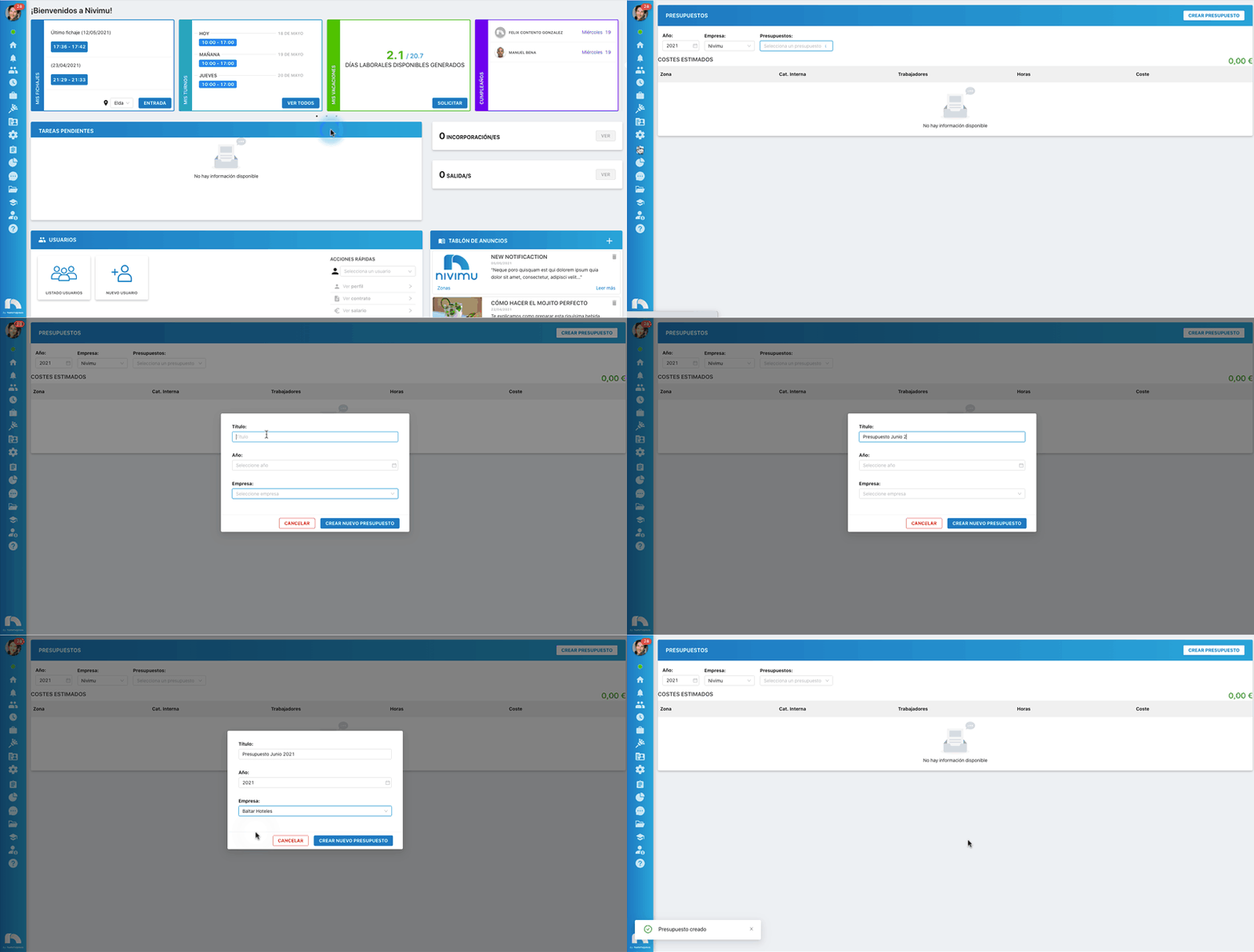
To create a new budget:
- Open the application menu and click on Budgets.
- Click on the Create Budget icon and a popup window will open.
- In Title write the name of the budget (for example "Budget May 2022").
- In Year select the year in which you will create the budget.
- In Company select the company to which you want to assign the budget.
- Finally click on Create a new budget.