Candidate status
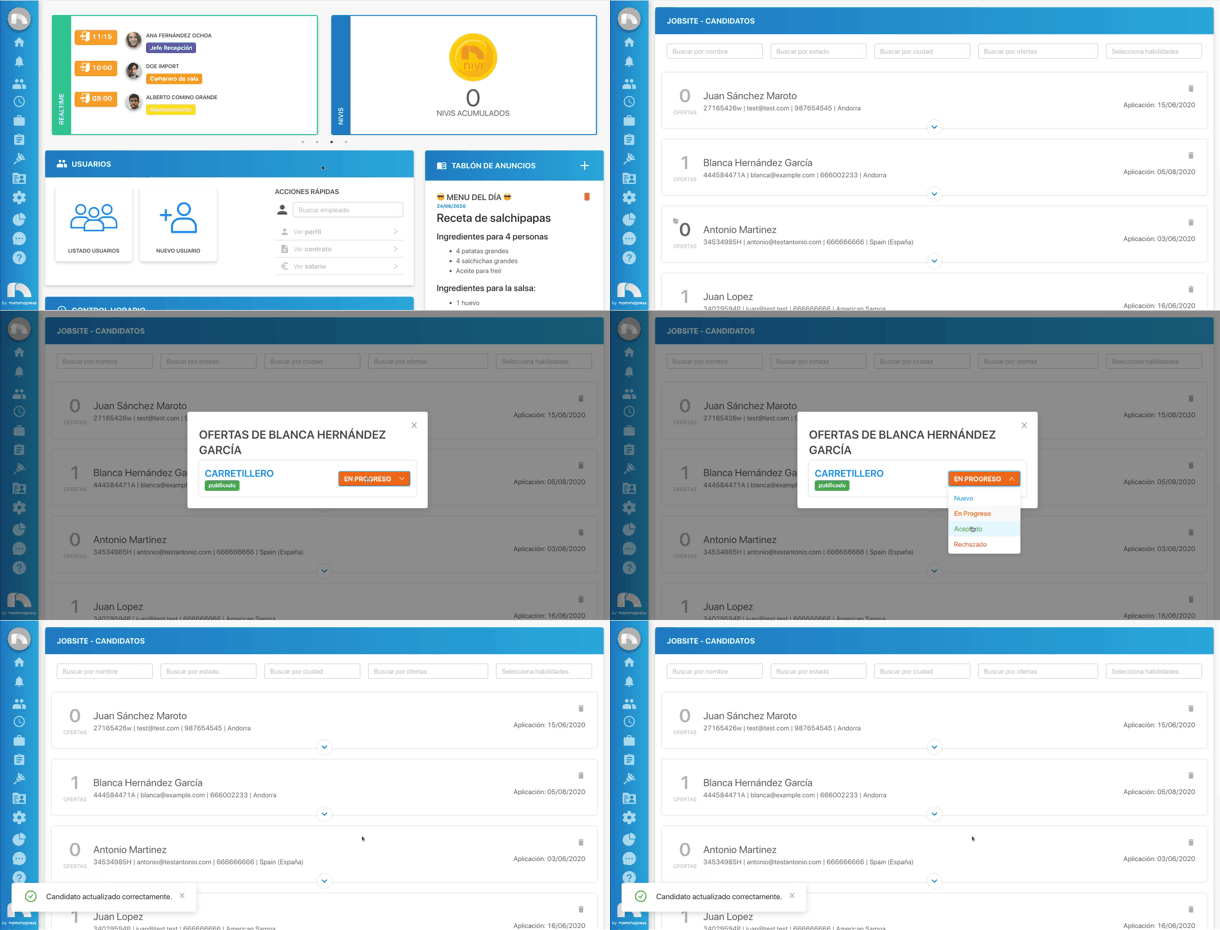
Each candidate will have a different status assigned based on their situation regarding the offer. There are different statuses:
- New: new candidate registered for an offer.
- In progress: has been selected to continue in the selection process.
- Accepted: has been admitted to work in that job position.
- Rejected: has not passed the selection process and has not been accepted for that job position.
Edit status
To edit a candidate's status:
- Open the application menu and in the Jobsite section click on Candidates.
- Search among all candidates for the one whose status you want to change. To do this, you can use the filters located at the top.
- Once found, click on the number that appears next to the candidate's name.
- A new window will open with the list of all offers the candidate is registered for.
- Click on the dropdown menu located to the right of the offer title to change the candidate's status.
- Finally, once the new status is chosen, you must choose between sending an email to the candidate with the new status, or instead, just change the candidacy status.