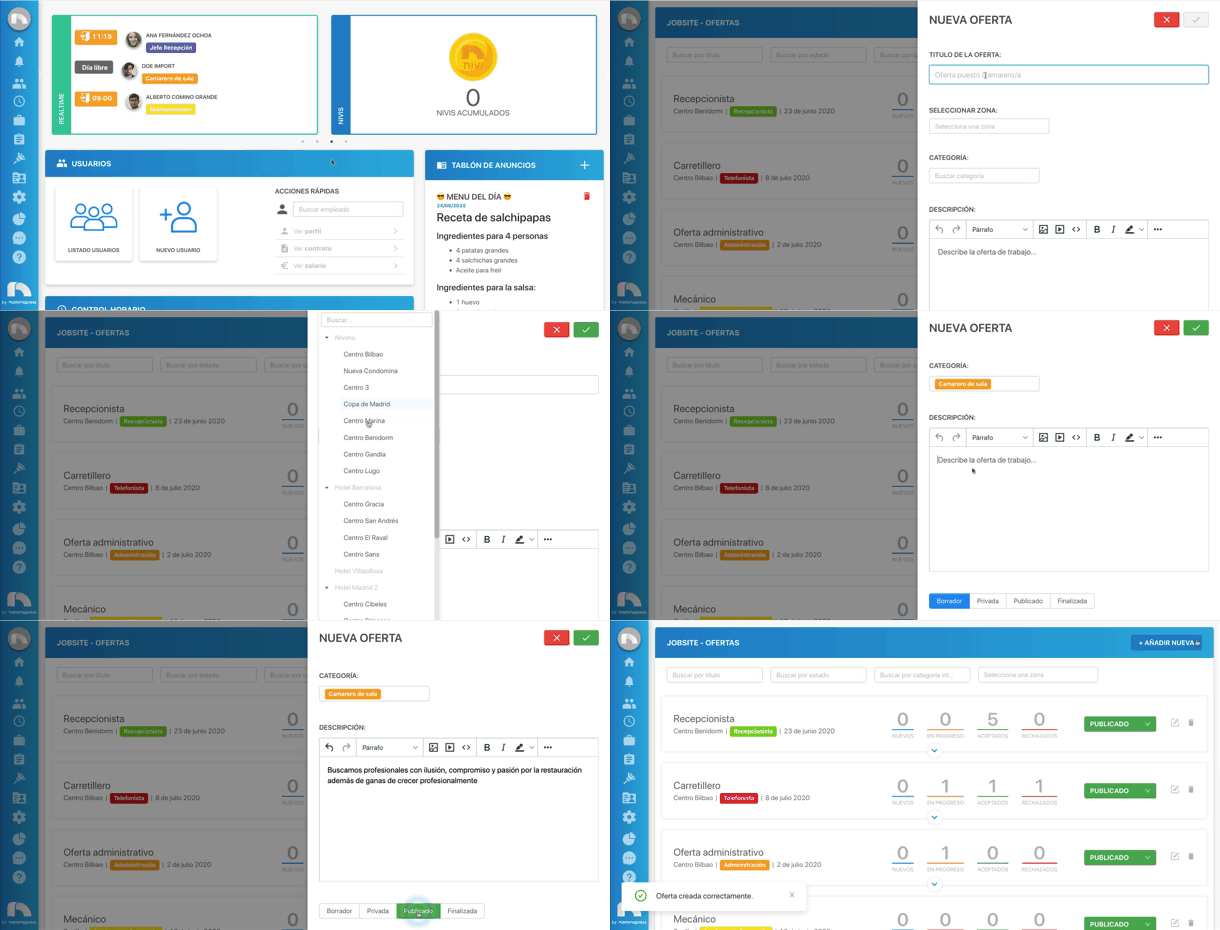
New offer
To add a new offer to Jobsite:
- Open the application menu and in the Jobsite section click on Offers.
- Click on the + Add New button and a window will open on the side with the fields for the new offer:
- Offer title.
- Zone to which the offer will be assigned.
- Internal category of the offer.
- Offer description. You can format the text with the available options at the top.
- Once the offer is written, you must choose the status with which it will appear on the page. Offers assigned with the status of private or published will have a link at the bottom to access the offer.
- Finally, click on the save button located in the upper right corner.