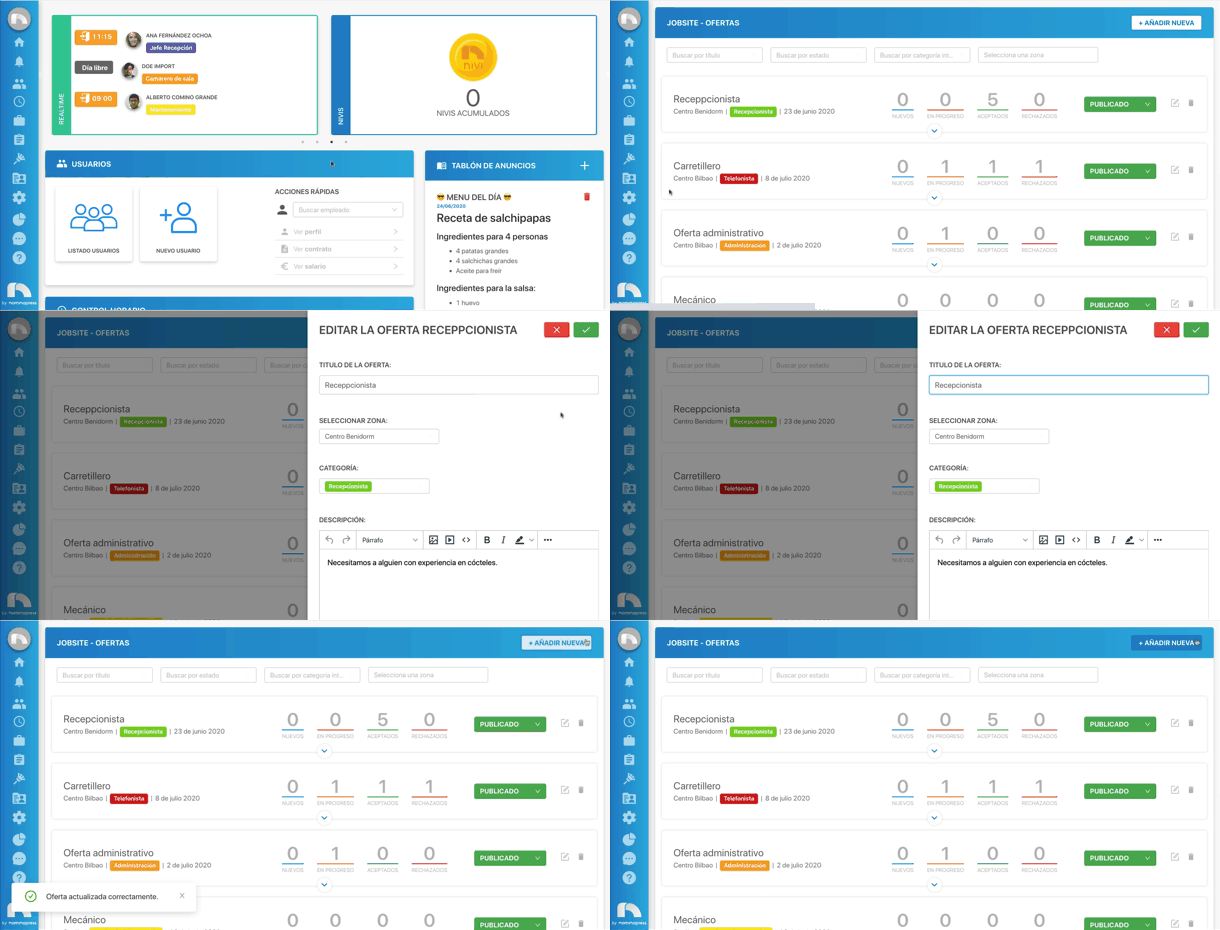
Edit offers
To edit an already created offer:
- Open the application menu and in the Jobsite section click on Offers.
- Search for the offer you want to edit. To do this, you can use the filters available at the top.
- Once found, click on the Edit offer button.
- A side menu will open to edit the offer fields.
- Change all the necessary data, including the status.
- Finally, save the offer by clicking the save button at the top.