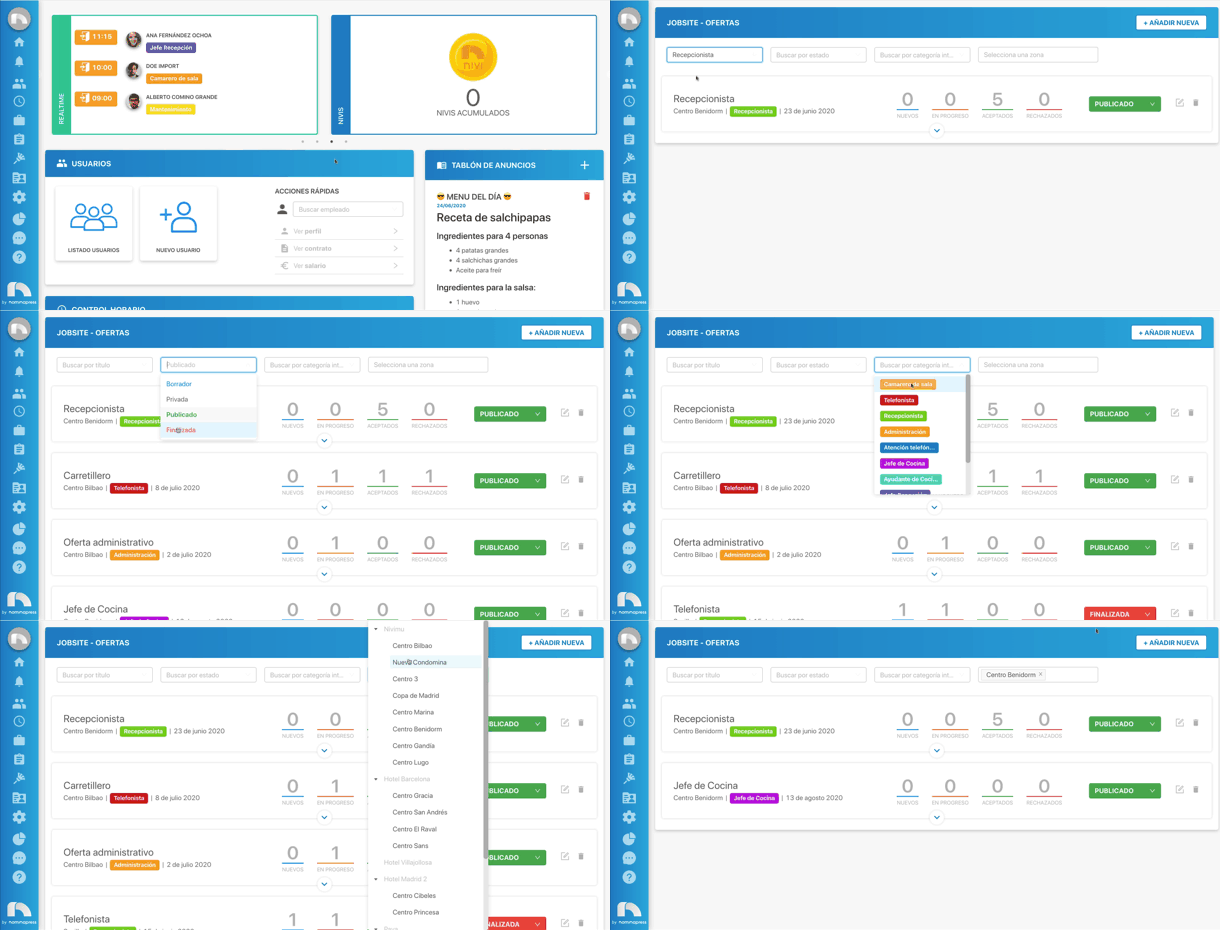
Filter offers
You can filter the content of the Offers page based on: title, status, internal category, or zone.
- Open the application menu and in the Jobsite section click on Offers.
- At the top of all offers you will find the different fields to filter.
- Click on the field by which you want to filter the content and select one of the available options.
- Then the page content will update and only the offer with those characteristics will appear.