Delete offer
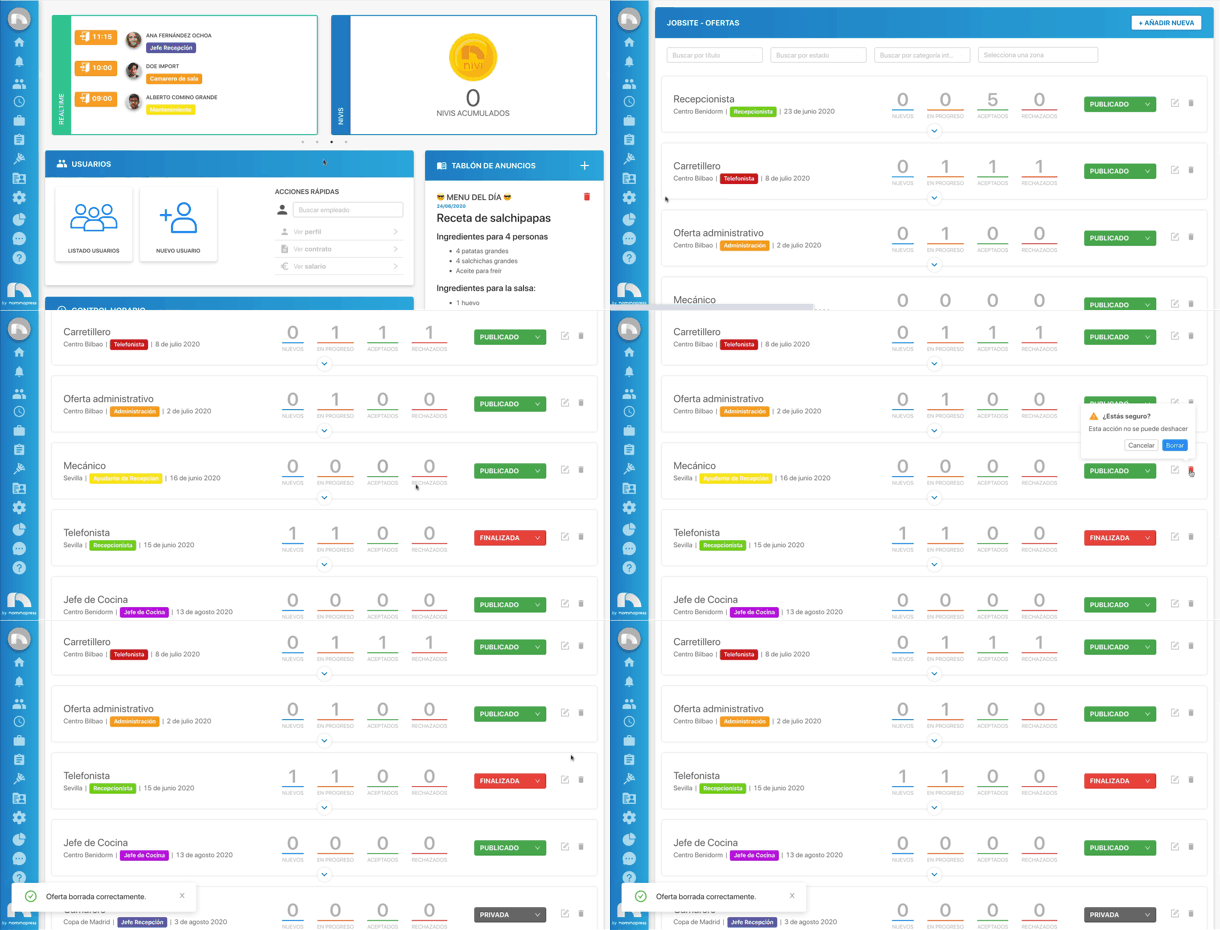
To delete an offer from the application:
- Open the application menu and in the Jobsite section click on Offers.
- Search for the offer you want to edit. To do this, you can use the filters available at the top.
- Once found, click on the trash button.
- A confirmation message will appear. If you really want to delete it, click Delete.