View candidate information
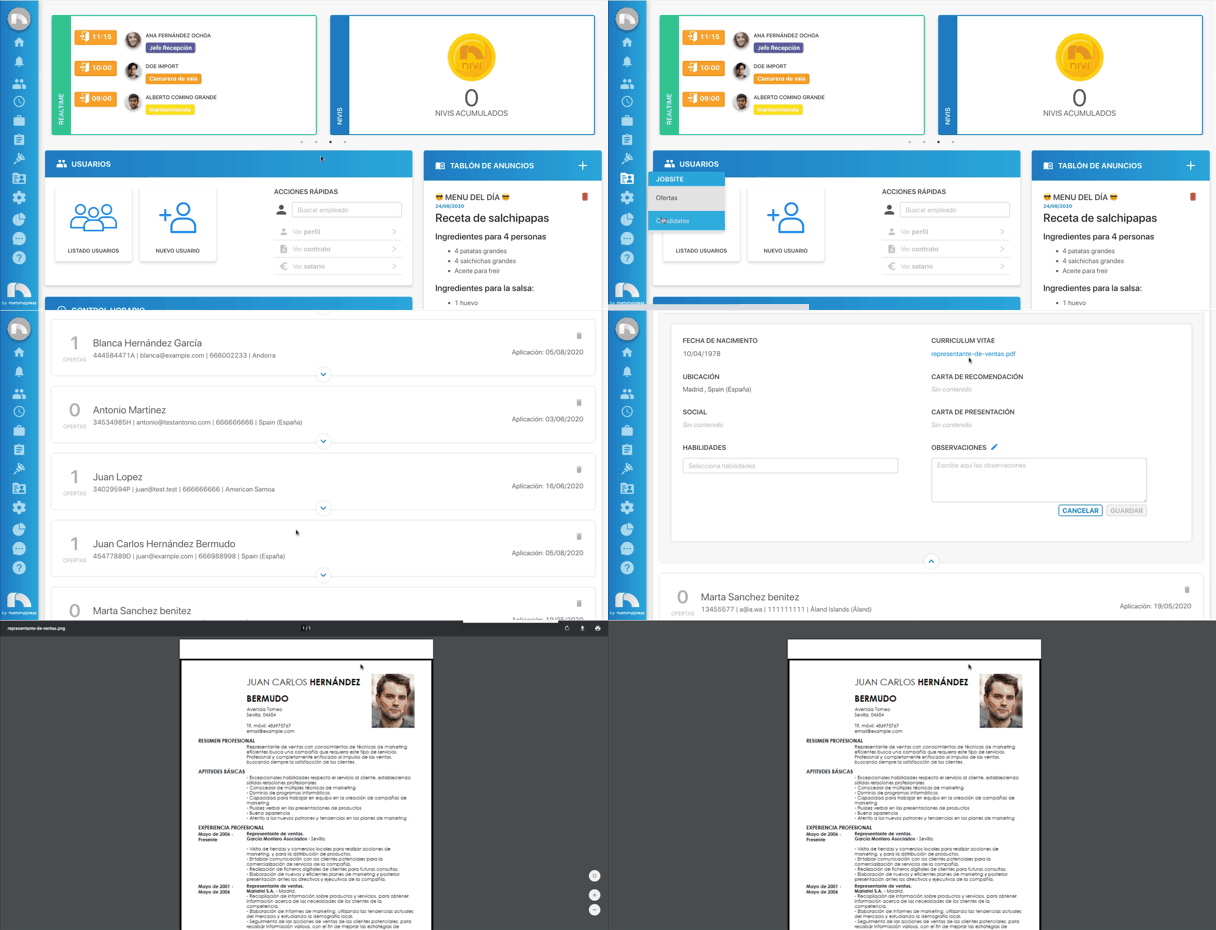
When a candidate registers for an offer, they must provide a series of personal data and attached documents that serve for the selection process. To view this data:
- Open the application menu and in the Jobsite section click on Candidates.
- Search among all candidates for the one whose information you want to see. To do this, you can use the filters located at the top.
- Once found, at first glance you will see their basic data: name, ID/NIE, email, phone number, and city.
- To access the rest of the data, click on the central button to expand the rest of the information.
Download documents
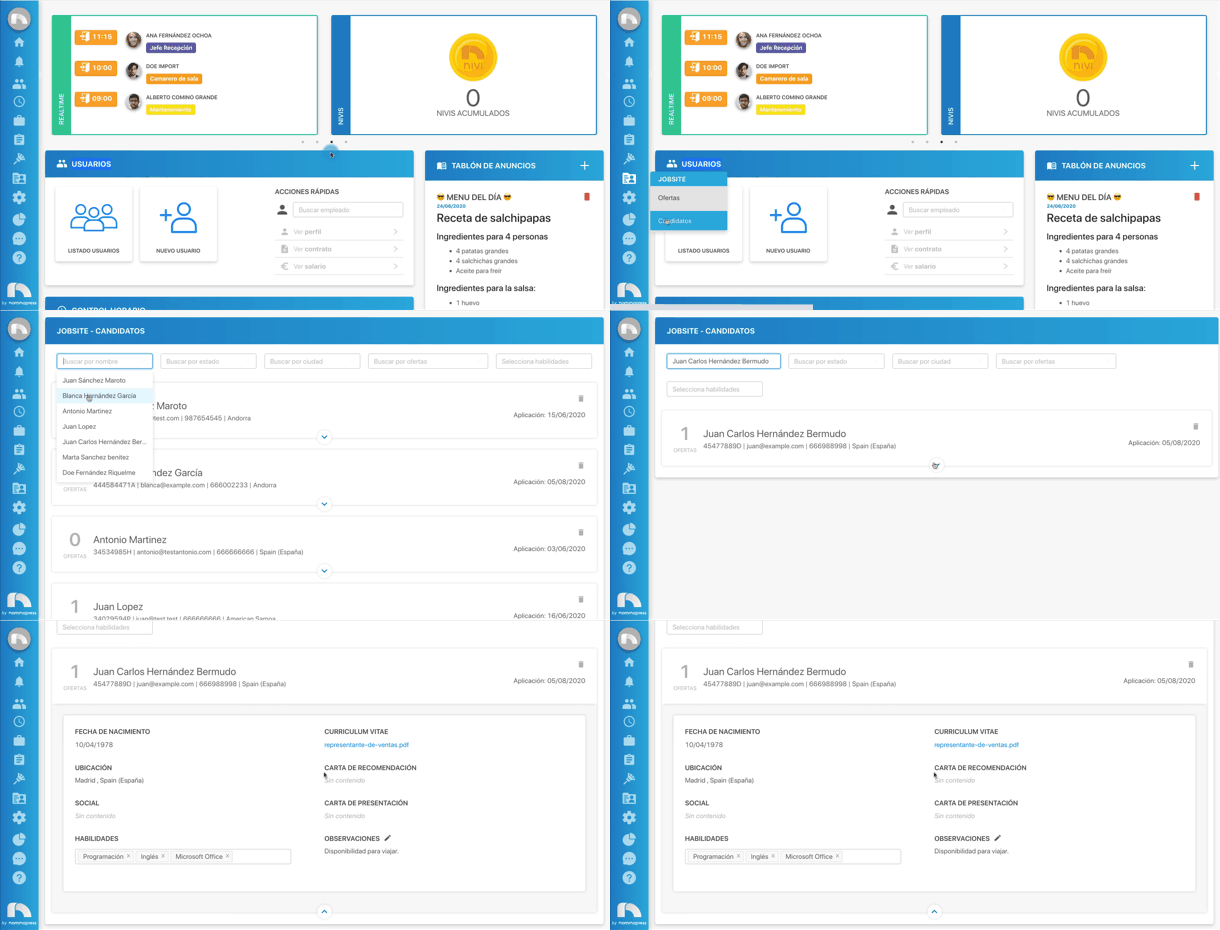
When accessing the candidate's information, you can download the documents they previously uploaded when registering for the offer. The documents that can be uploaded are the curriculum vitae, the letter of recommendation, and the cover letter.
To download the documents:
- Open the application menu and in the Jobsite section click on Candidates.
- Search among all candidates for the one whose information you want to see. To do this, you can use the filters located at the top.
- Once found, click on the central button to access the information.
- Finally, click on the document name and it will download automatically.