Bulk Enrollment
Enroll multiple users at once.
1️⃣ From the home screen enter "Campus" and select "Campus Courses" 🏫.
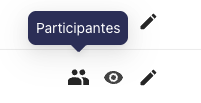
2️⃣ In the course where you want to enroll users select "Participants" 👥.
3️⃣ Once on this screen, in the "Enrolled Users" dropdown select "Bulk Enrollments" 🗂️.
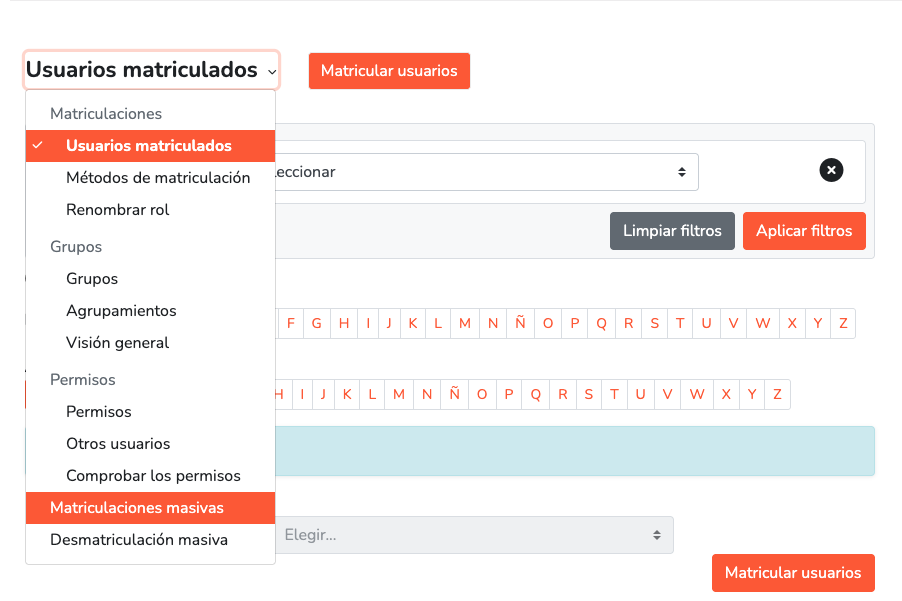
4️⃣ This screen will be displayed 📋:
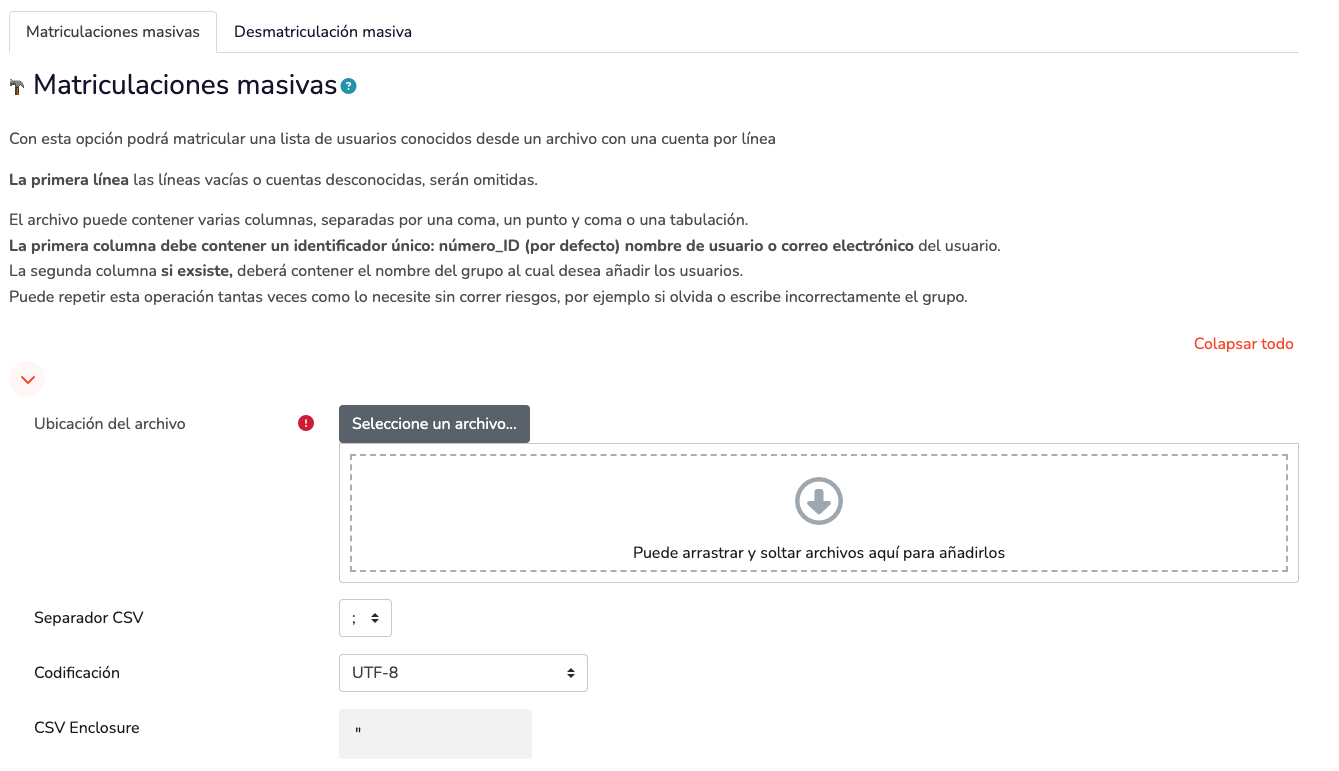
5️⃣ Now we have to create a CSV file 📄.
6️⃣ Open Excel and name the first column "Email" and below add the emails of the students/users you want to enroll 💻📧.

💾 Export a copy in CSV format.
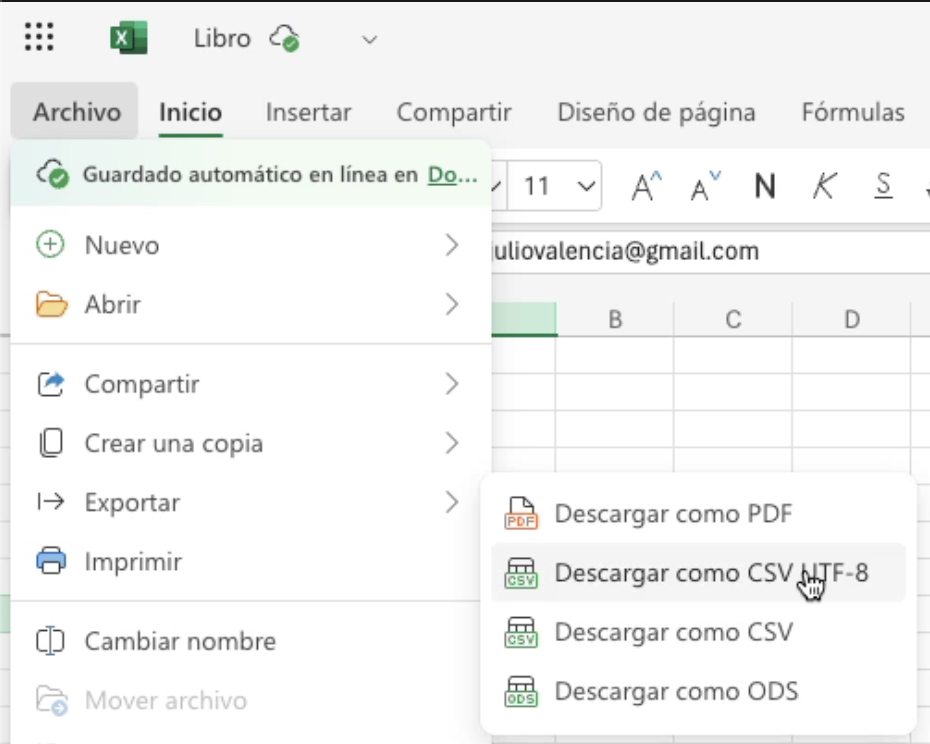
7️⃣ Once the file is exported we return to the "Bulk Enrollments" screen 🔁.
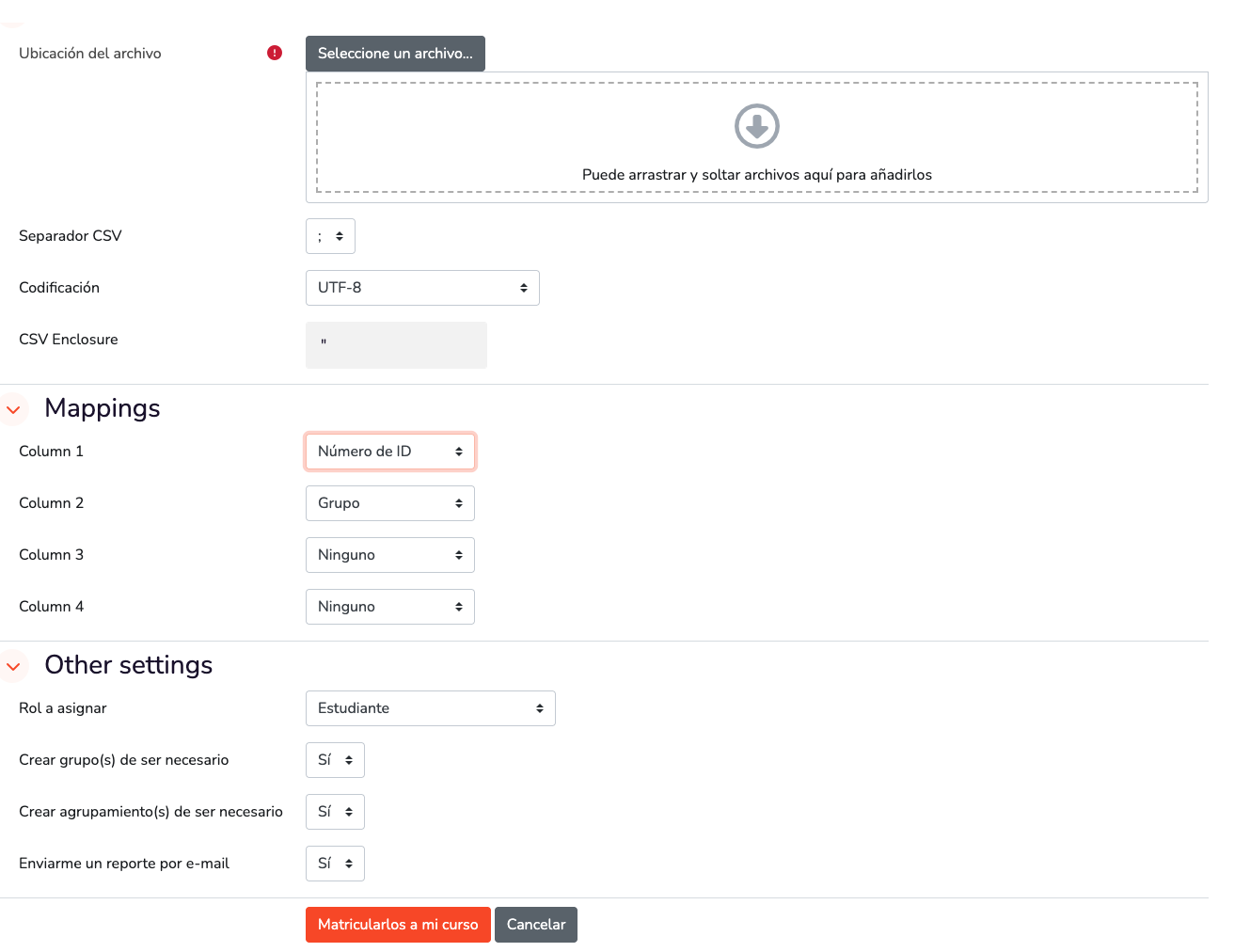
8️⃣ Select or drag the CSV file and configure as follows ⚙️📂:
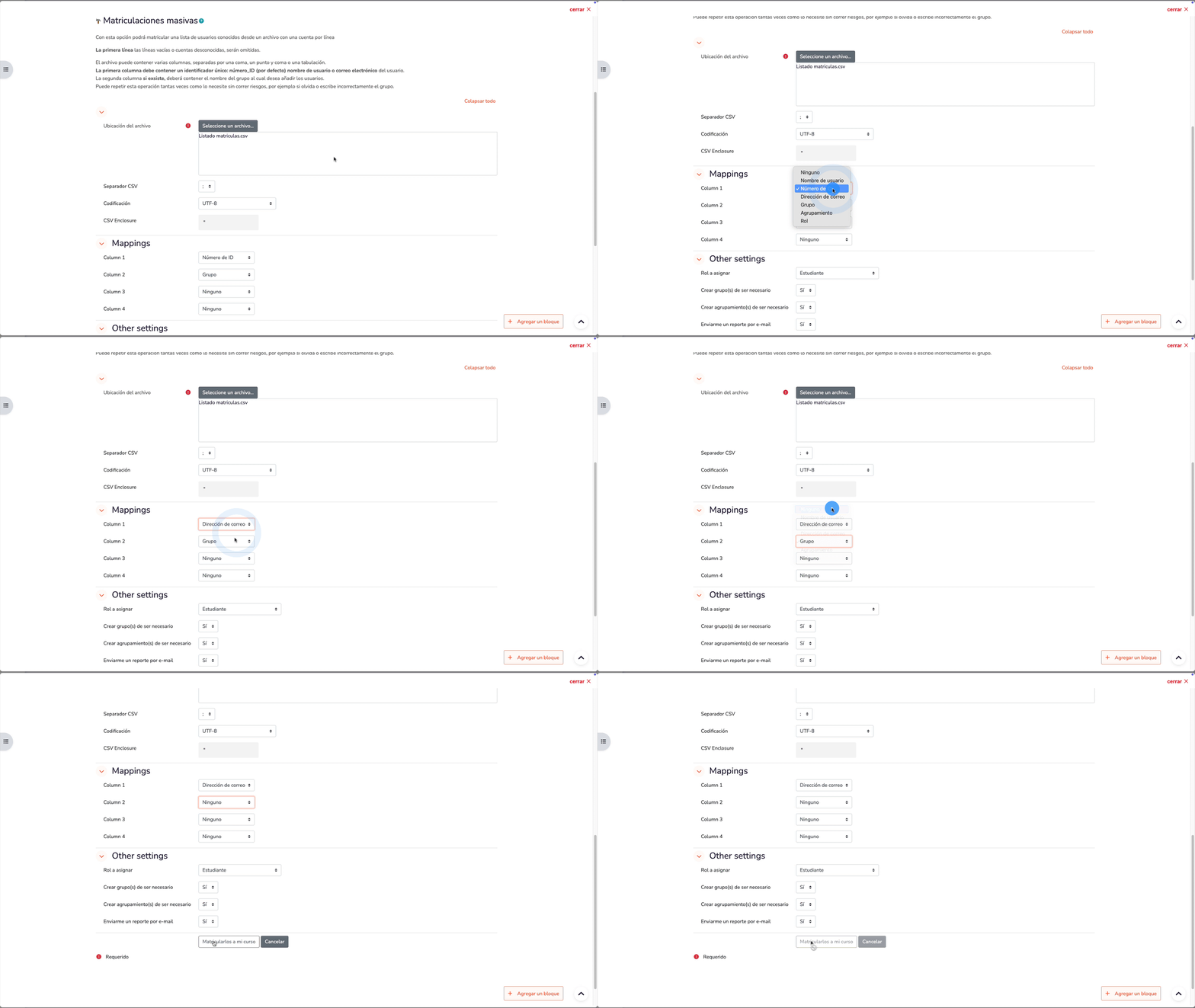
9️⃣ Press the "Enroll them in my course" button and then "close" ✅.
And that's it! 🎓 Students are successfully enrolled 🚀
