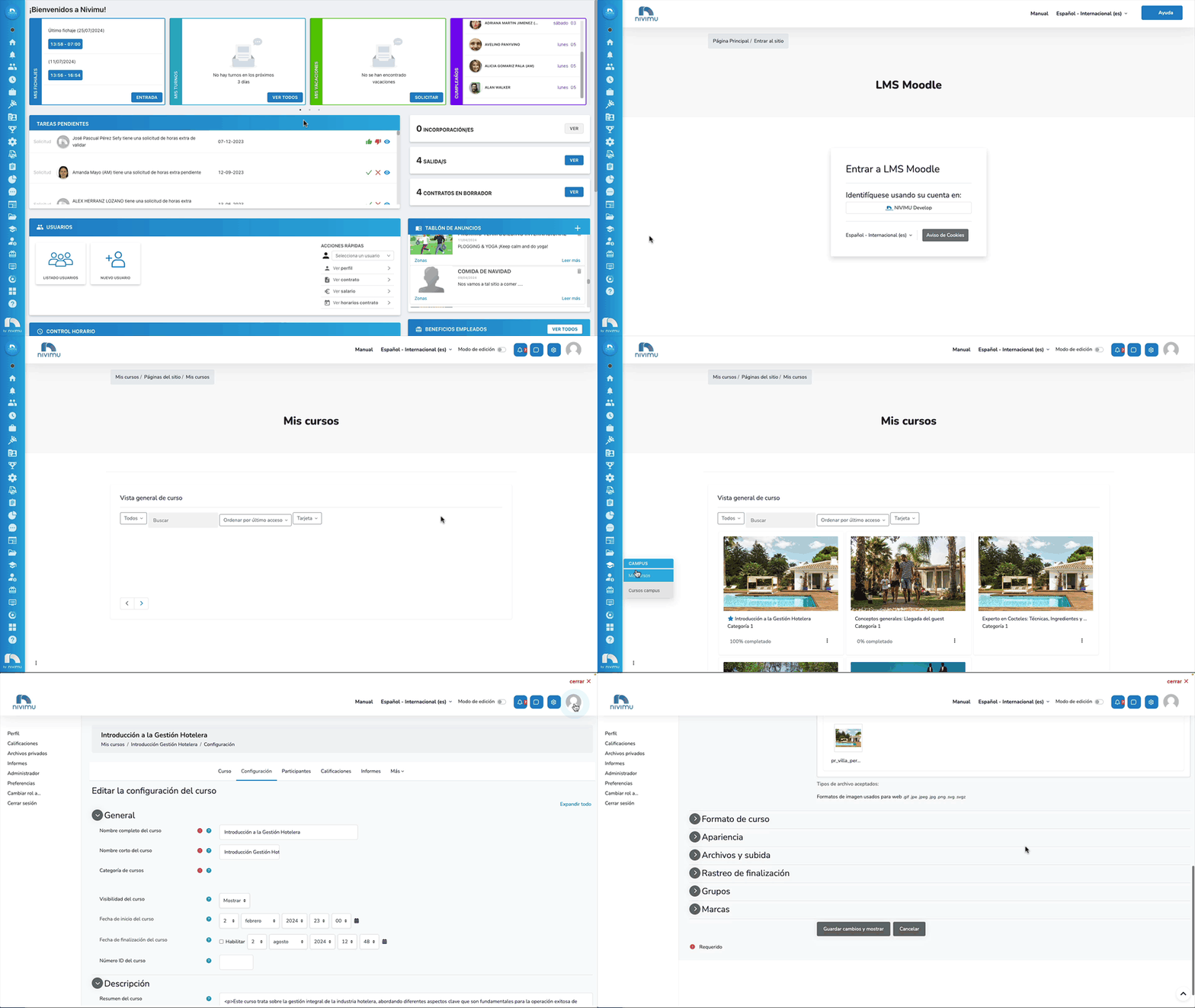
CAMPUS: Campus Courses
In the "Campus Courses" section we can manage user assignments, manage course participants, as well as create, view and edit courses.
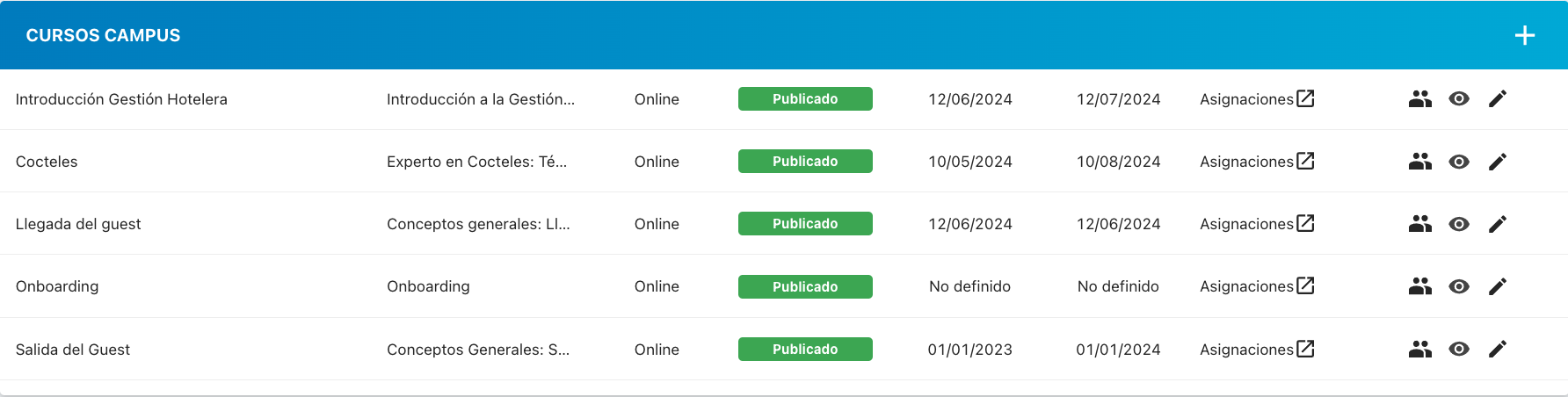
Assignments
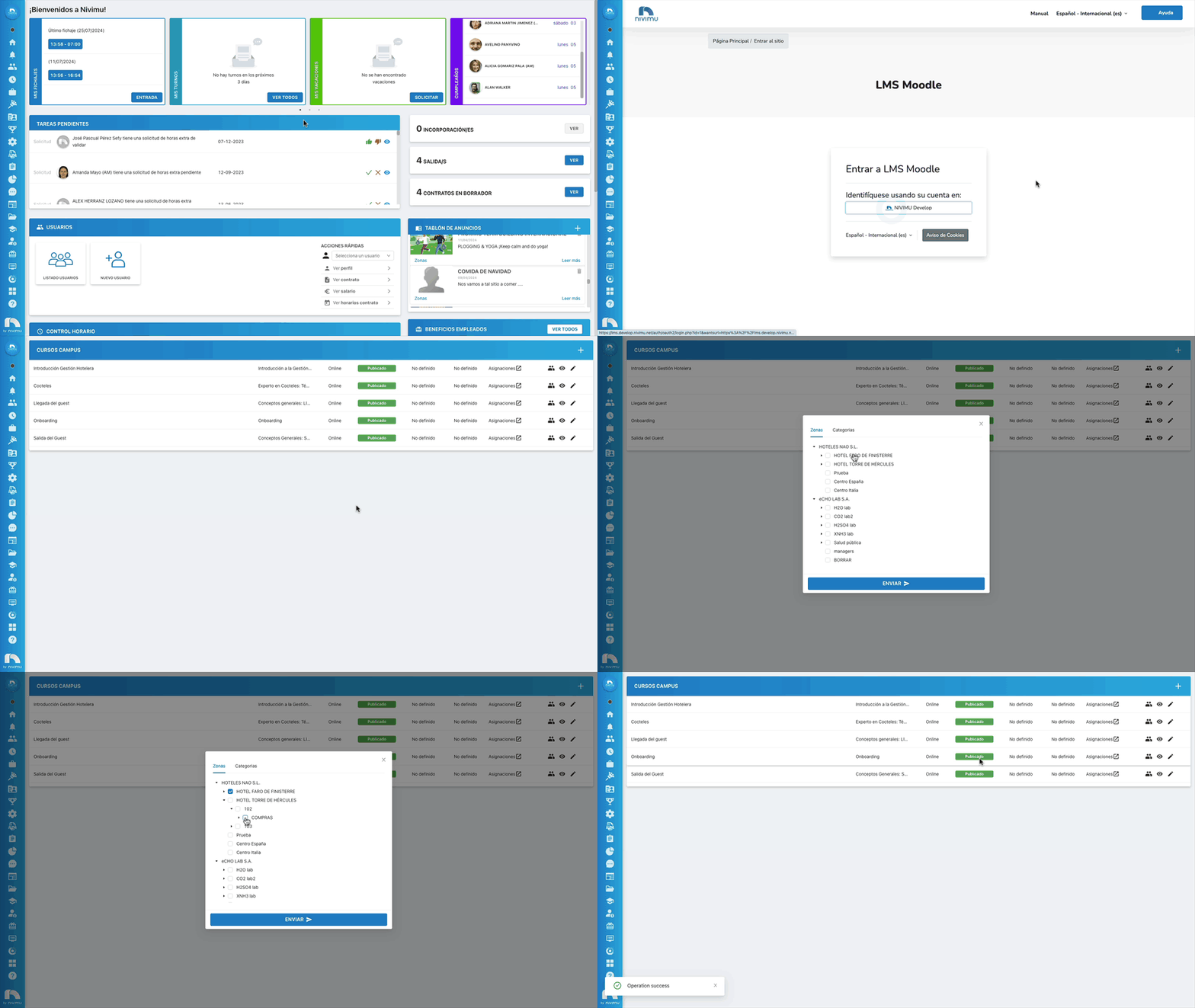
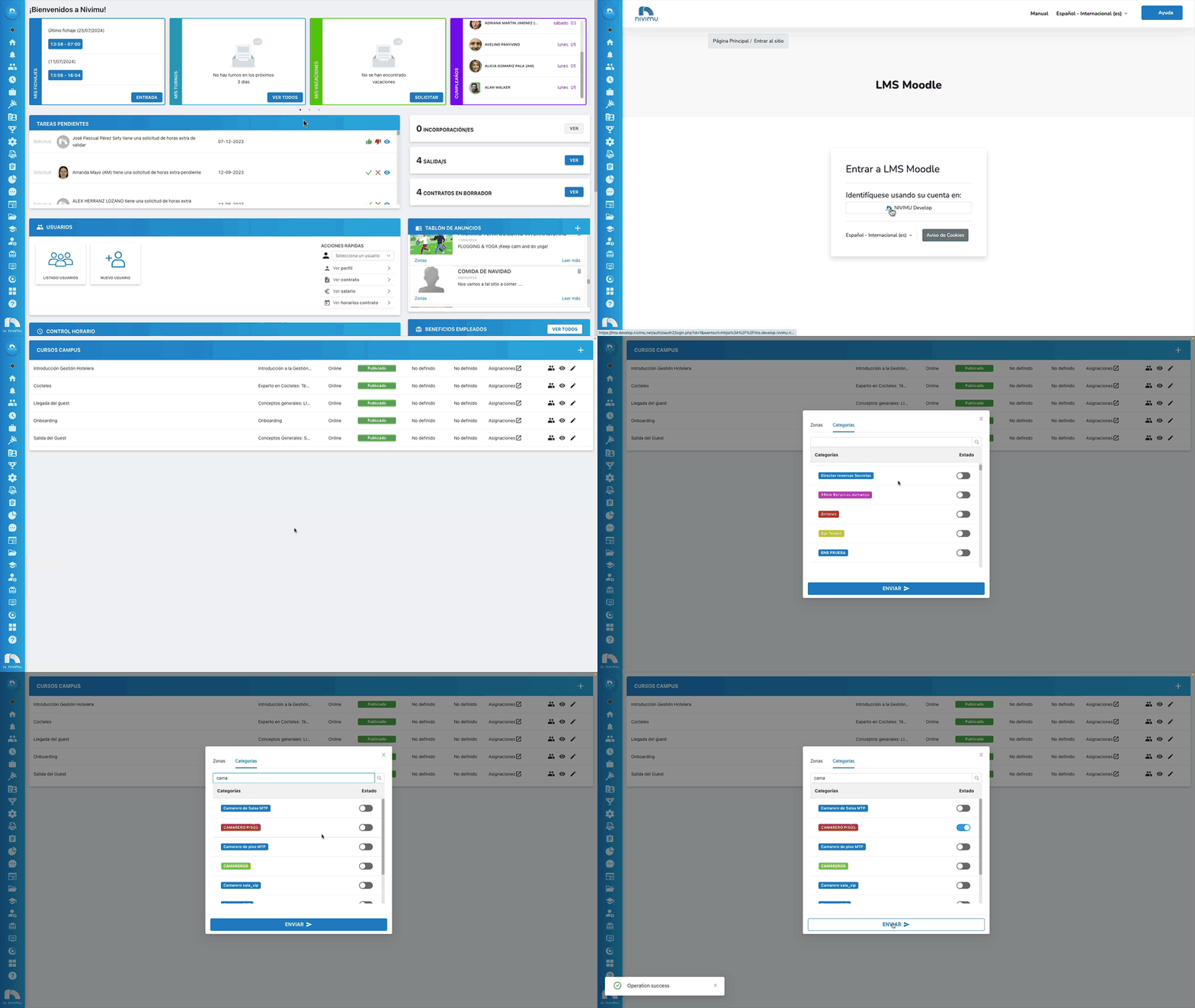
To assign participants to courses we can do it in 2 ways: by zones or by categories. To do this:
- In the Nivimu sidebar, under "Campus", click on "My Courses"
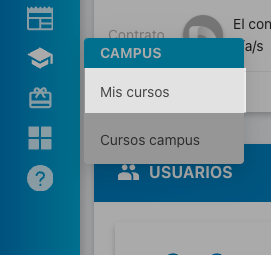
- Click on "Identify yourself using your account in: Nivimu "
- Go back to the sidebar and now click on "Campus Courses" and then on the course you want to assign zones click on "Assignments"
Assign ZONES
In "Zones" select the zone to which you want to assign users. You can do it at company, center, area, department or section level. Once the zones are selected, click on "Send".
All users who are assigned to the selected zones will be enrolled in the course.
Assign CATEGORIES
In "Categories" select the categories to which you want to assign users. Click on the status button (it will turn blue). You can also use the search engine to find the category more quickly. Once the categories are selected, click on "Send".
All users who are assigned to the selected categories will be enrolled in the course.
Participants
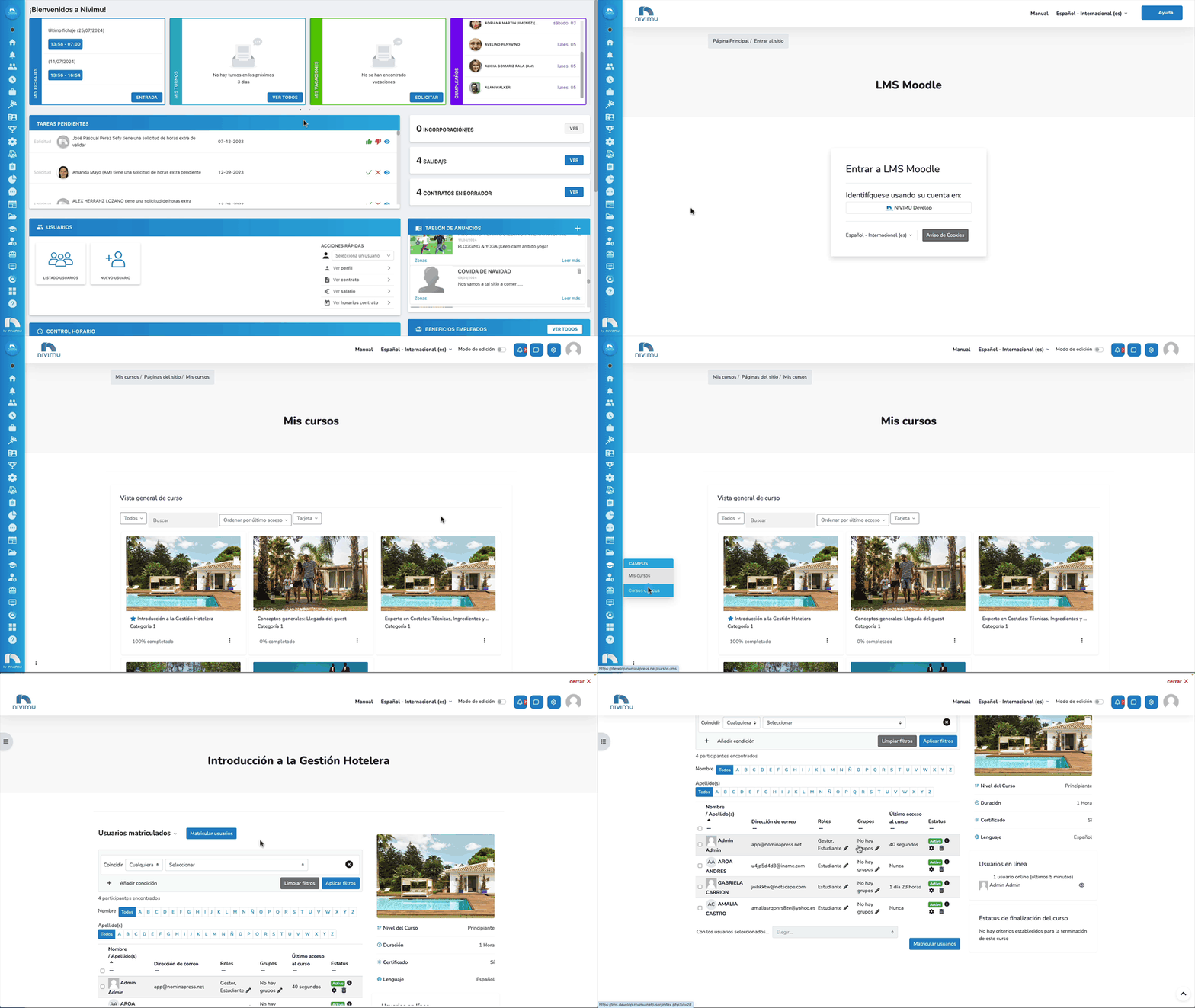
In the "Participants" section you can check the students who are enrolled in the course. To do this:
- In the Nivimu sidebar, under "Campus", click on "My Courses"
- Click on "Identify yourself using your account in: Nivimu "
- Go back to the sidebar and now click on "Campus Courses" and then on the course you want to assign zones click on "Participants"
View
In the "View" section you can view the course directly. To do this:
- In the Nivimu sidebar, under "Campus", click on "My Courses"
- Click on "Identify yourself using your account in: Nivimu "
- Go back to the sidebar and now click on "Campus Courses" and then on the course you want to assign zones click on "View"

Edit
In the "Edit" section you can go directly to course editing. To do this:
- In the Nivimu sidebar, under "Campus", click on "My Courses"
- Click on "Identify yourself using your account in: Nivimu "
- Go back to the sidebar and now click on "Campus Courses" and then on the course you want to assign zones click on "Edit".