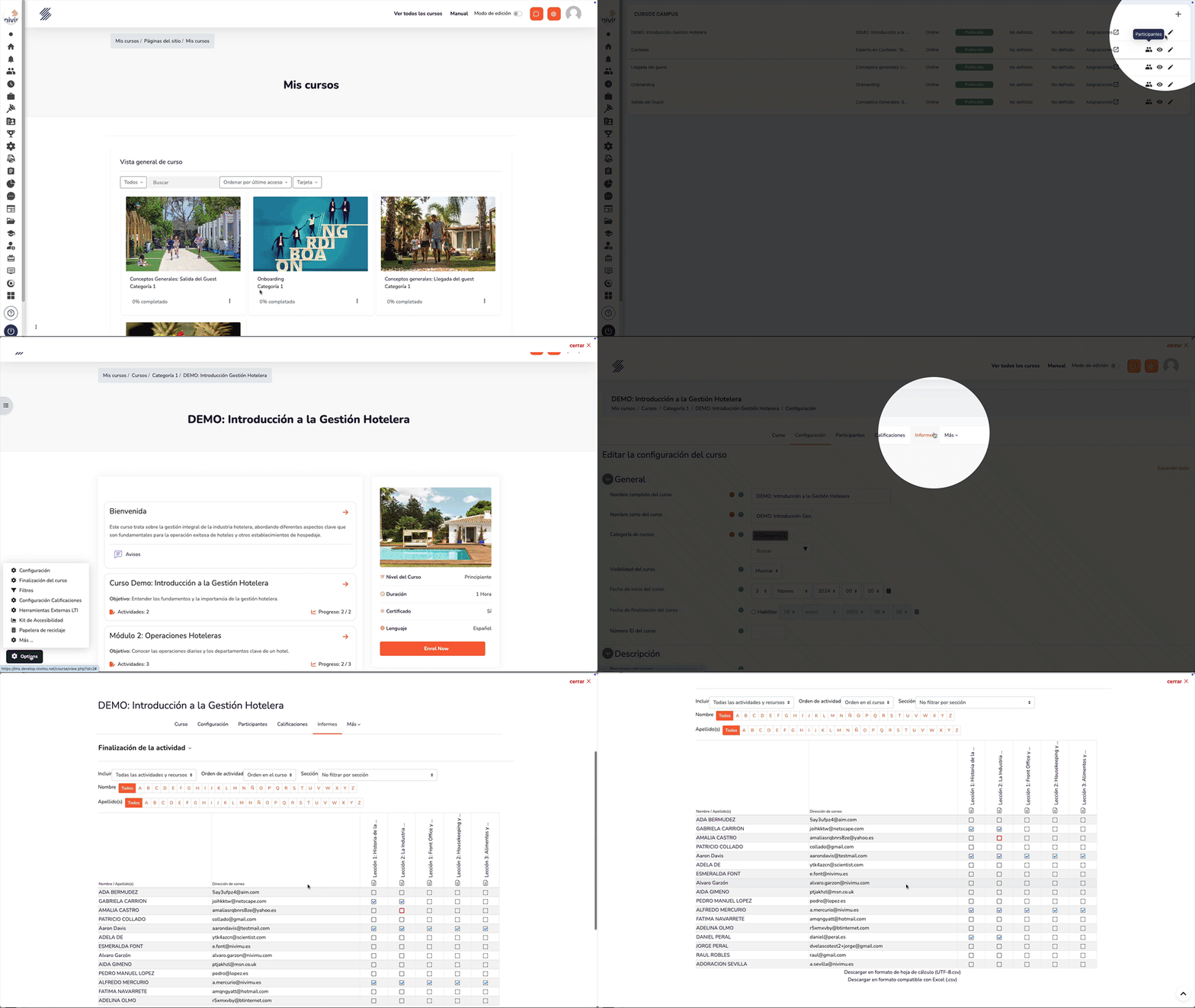
Course Completion List
To obtain the list of users who have completed a training, follow these steps:
- Enter "Campus Courses".
- Locate the corresponding course and click on the "Edit" button (represented by a pencil icon).
- Select the "Reports" option.
- Choose "Activity Completion".
- Download the list (available in spreadsheet or CSV format).
- In the list, you can filter by status ("Completed" or "Not completed") and check the course completion date.