QR Code Clocking
Nivimu offers the possibility to clock using a QR code for those users who need to register their workday from the Work Center, as long as their company has configured this option.
To use this function, simply access Nivimu from your phone and present the QR code on the clocking tablet.
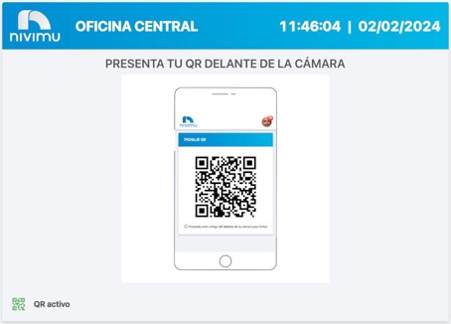
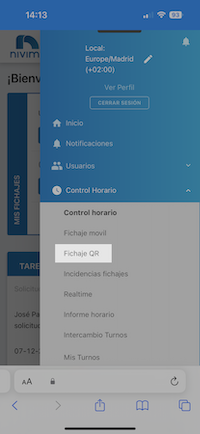
If your company has dynamic QR activated, follow these steps:
- Log in to the platform from your phone
- Access Time Control > QR Clocking
- Show the QR code that appears on your phone screen in front of the tablet

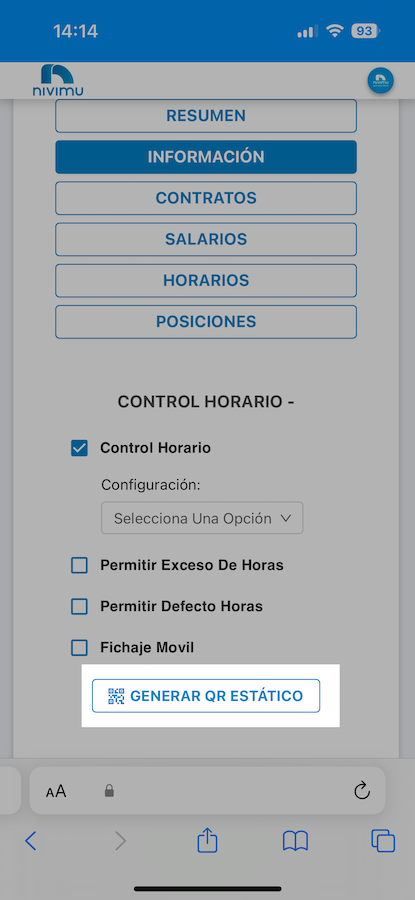
If your company has static QR activated, follow these steps:
- Log in to the platform from your phone
- Access View Profile (side menu)
- Click on "Generate static QR"
- Show the QR code that appears on your phone screen in front of the tablet