Introduction
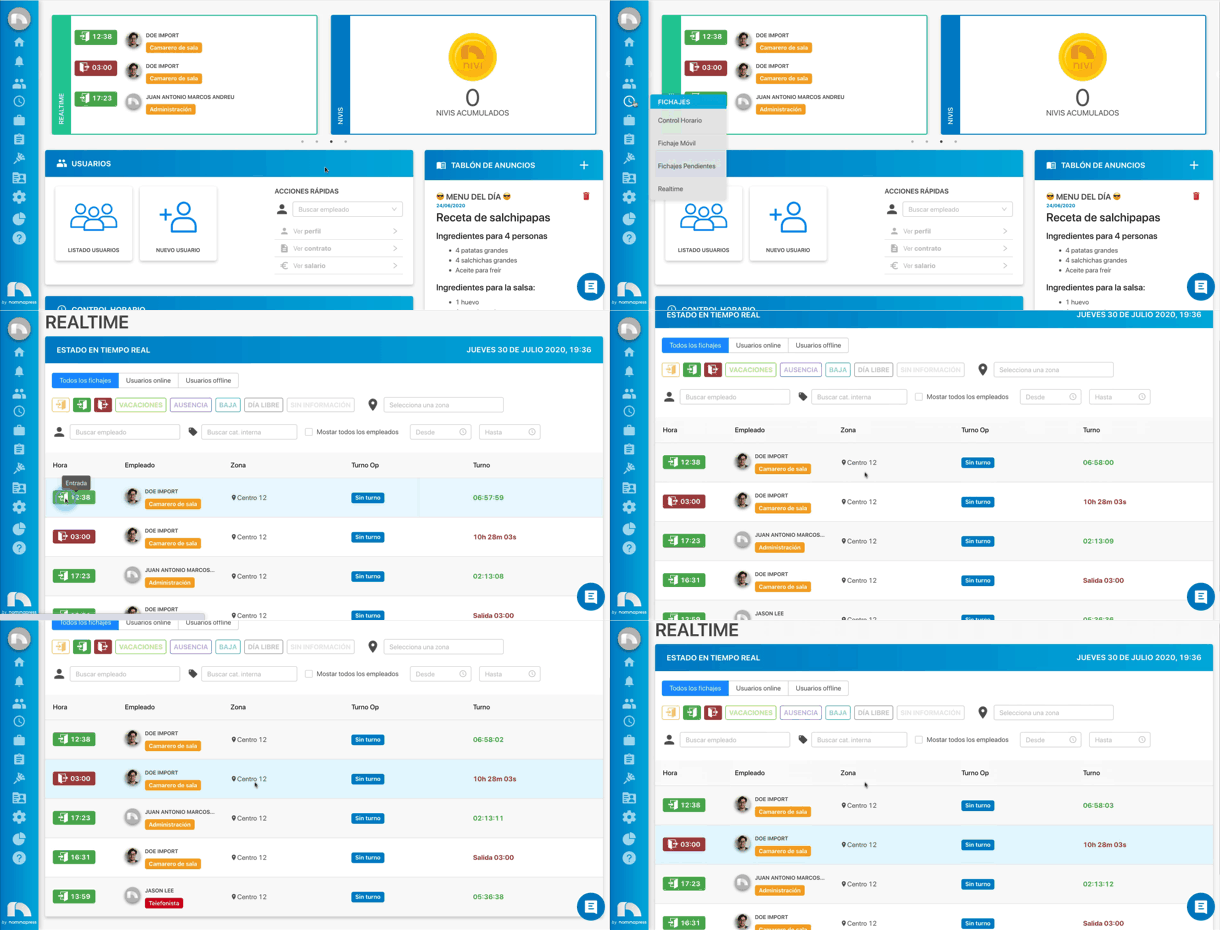
In Realtime you can see in real time what state all employees are in. You will know if they have clocked in to enter their job position, if they are on vacation, at what time they have clocked out or, among other things, how long they have been working.
To access Realtime:
- Open the application menu.
- In the Time Control section click on Realtime.
When you access Realtime you find a series of buttons that will serve to filter the content you want to visualize and a table where to see the employees. In the table you can see in each row a different employee with the information corresponding to their shift. This information is divided into different columns: time, employee, zone, operational shift and shift.
- Time: an icon will be shown depending on whether the employee is going to start working, has already started or has left.
- Employee: the employee's profile picture will be seen, their full name and the internal category they belong to. You can access that employee's profile by clicking on their name or photo.
- Zone: it will indicate the employee's assigned work zone.
- Operational Shift (Op Shift): the start and end time that has been established in the shifts configuration will appear.
- Shift: in the case of an employee who has already finished their work shift the total hours they have been working will appear. If the employee is still working it will show the time they have been working.