Manage Company Signatures
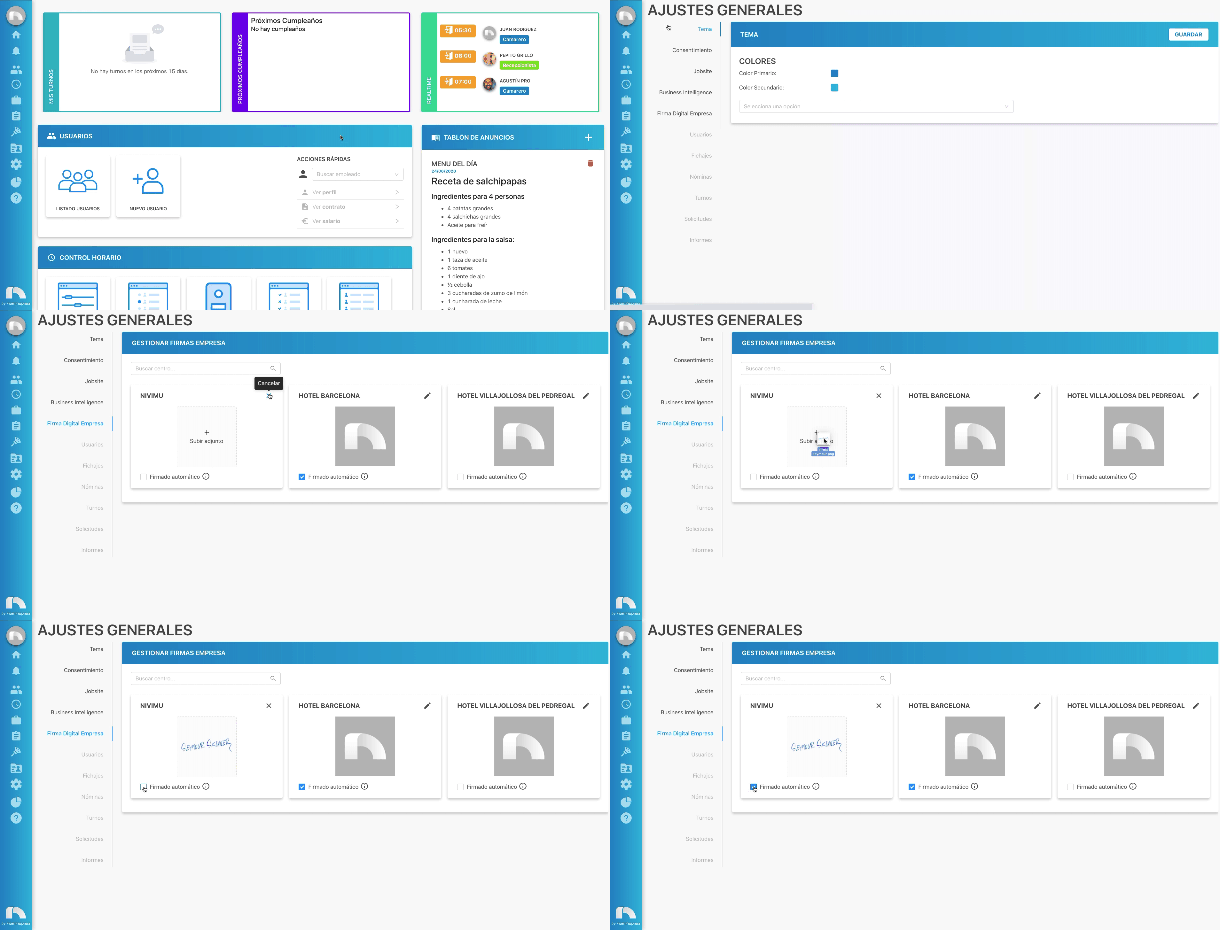
Through the Company Digital Signature settings you can manage the signatures of the company's centers to streamline processes that need to be signed through the application.
To access Company Digital Signature:
- Open the application menu.
- In the Settings section click on General and then on Company Digital Signature.
- When you enter Manage company signatures you must search for the center where you want to manage the company's signature.
- Once chosen, click on the edit button for the center's signature.
- Next, click on + Upload attachment and select the image from your device or directly drag the image with the digitized signature.
- Select Automatic signing if you want the signature to be inserted in documents automatically.