Administrator permissions
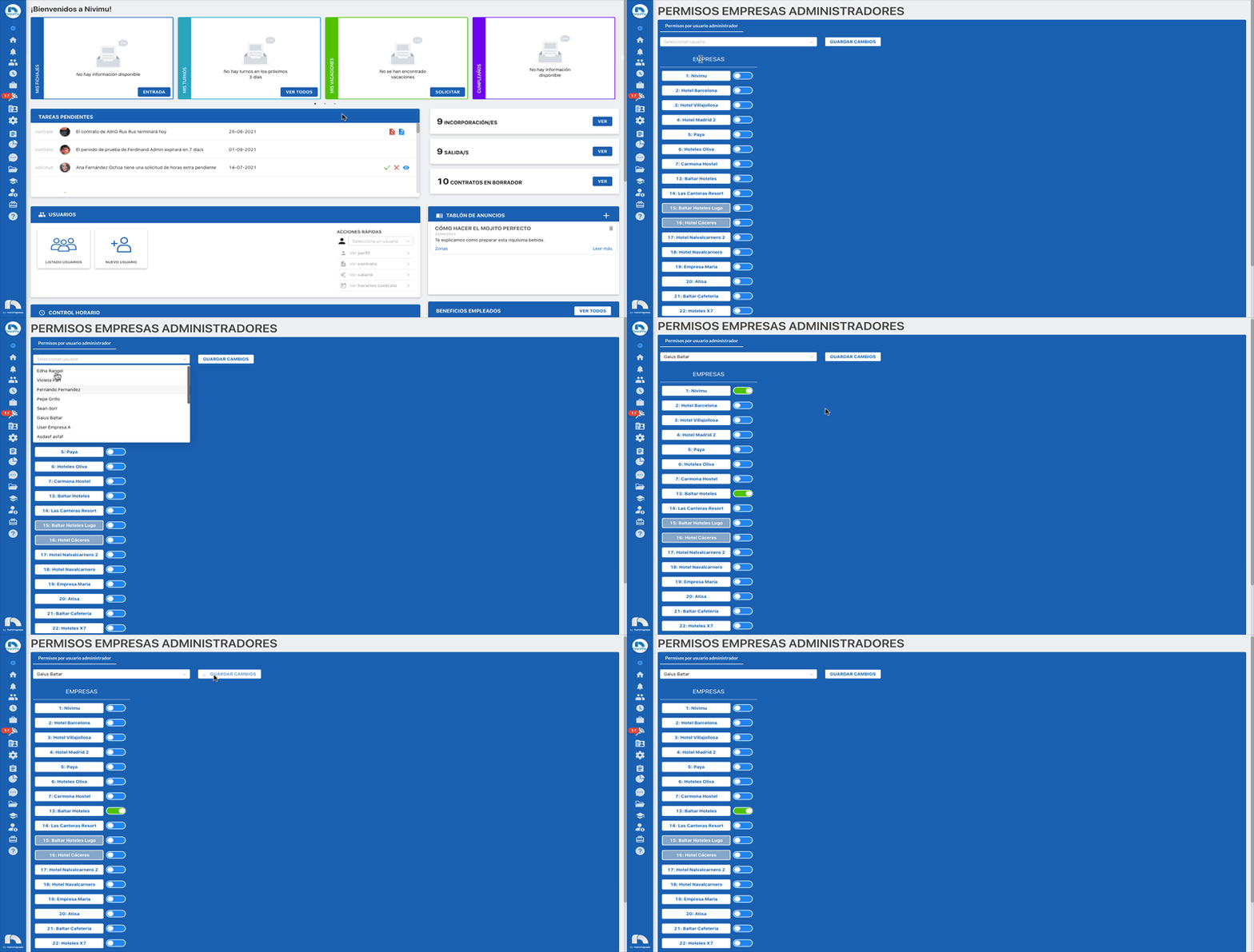
In the "Administrator permissions" section, the corresponding permissions will be assigned to each administrator for each company desired. There are 3 levels of administrator permissions:
- Blue : is the option to deactivate the permission and the administrator's access.
- Orange : is the supervisor permission. Enables the possibility to view the company information.
- Green : is the administrator permission. Enables the possibility to view and edit the company information.
To modify "Administrator permissions":
- Open the application menu and in the Settings section click on "Administrator Permissions".
- Then select the user whose permissions you want to modify.
- Select the permission level for the user for each company.
- Click save changes: