Create Zones
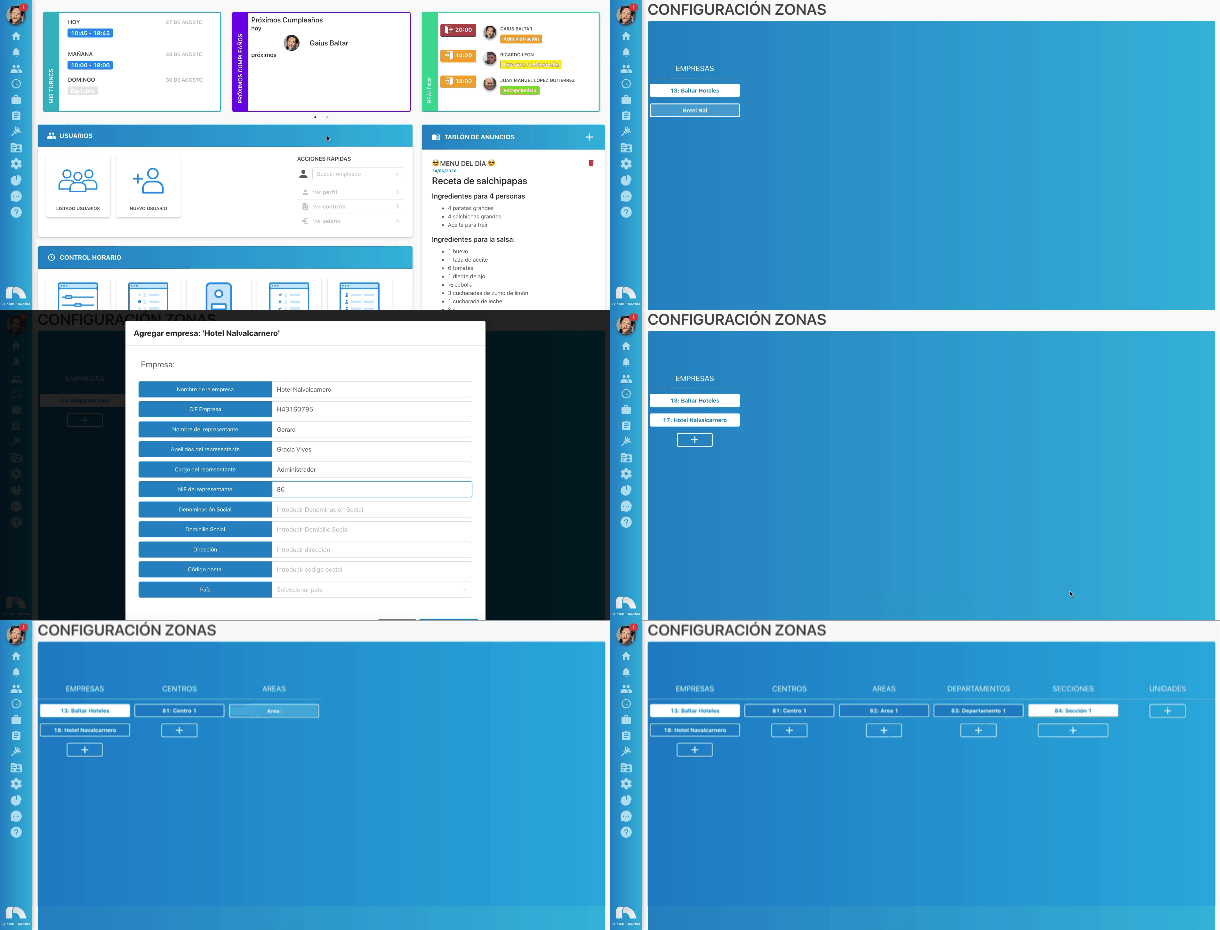
To create zones:
- Open the top menu, access Settings and then Zones.
- Click on the + button, write the name of the first company you are going to configure and then press the enter key on the keyboard.
- Once you fill in all the data, a new column will open on the right.
- Click on the + of the new column to create the first center.
- Once the section is created, more columns will open on the right that you will complete according to your company's needs.