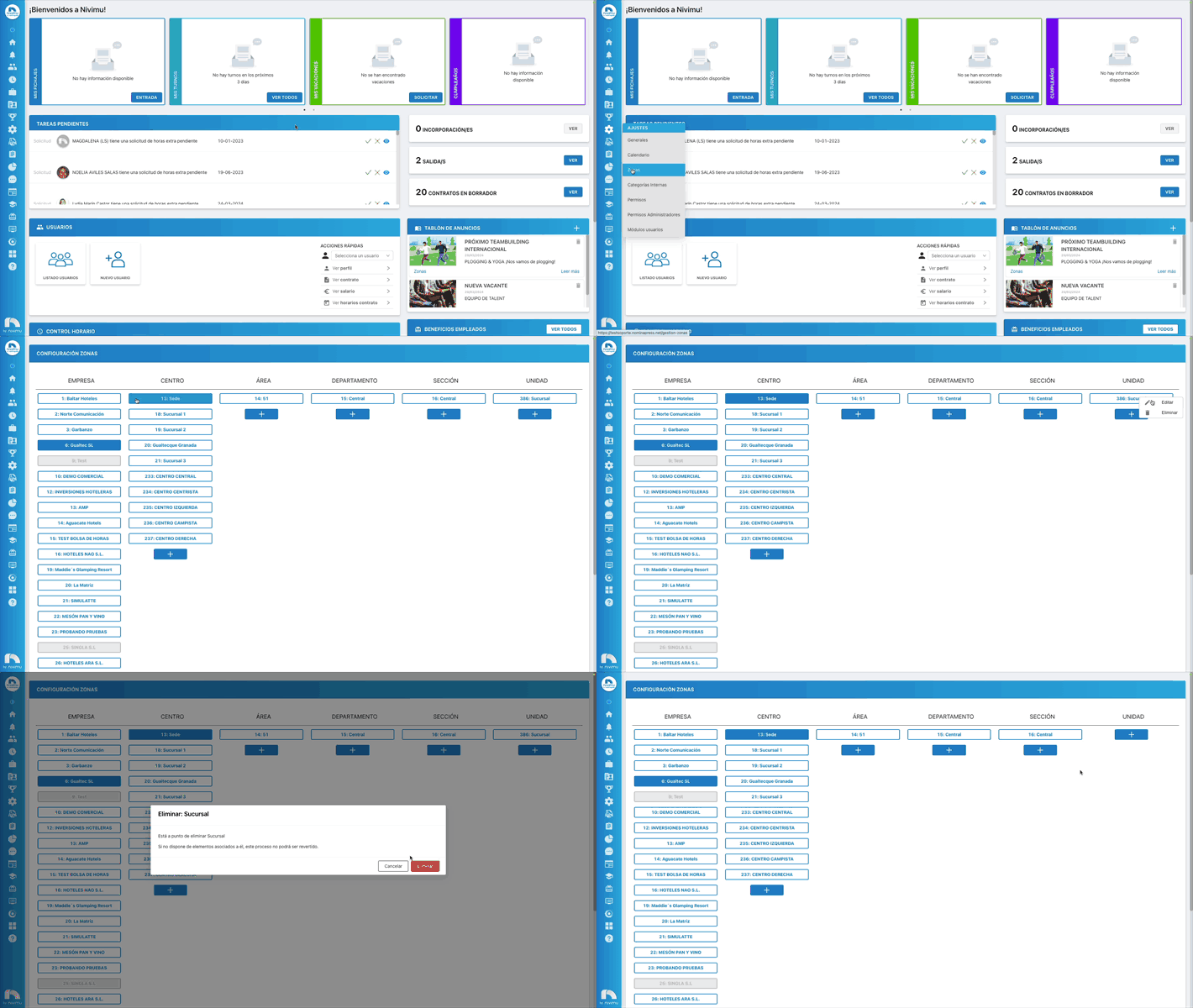
Delete Zones
How to delete a zone?
To delete a zone:
-
Open the top menu, access Settings and then Zones.
-
Choose the zone you want to delete and right-click with the mouse on "Delete".
-
It is possible that the zone cannot be deleted because there are workers positioned or contracted in this zone.
-
If there is a contract in the zone you want to delete, you must modify the contract or generate a new one.
-
If there is a user positioned in the zone you want to delete, you must modify the position.