Modify Zones
To modify zones:
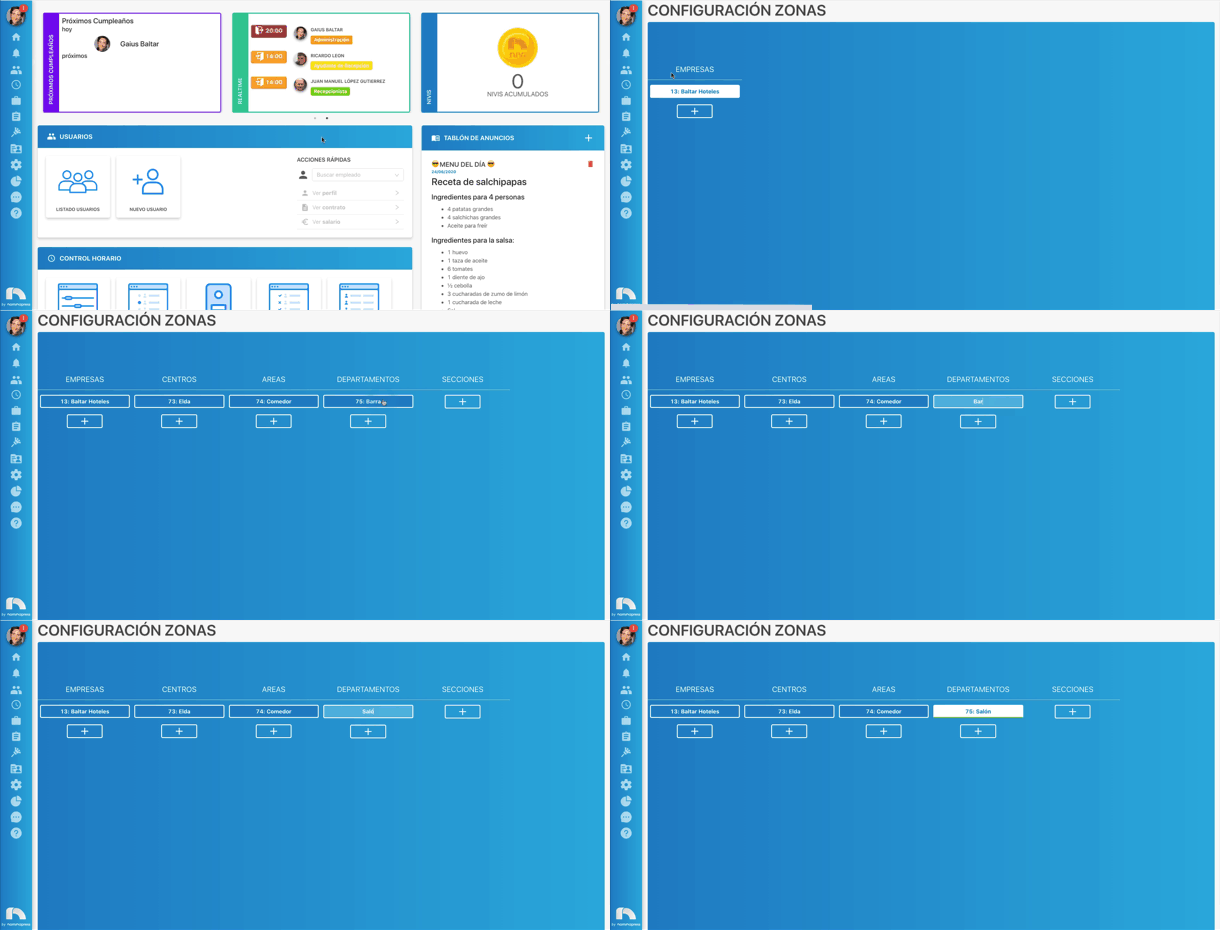
- Open the top menu, access Settings and then Zones.
- You can see the table only with the Companies column.
- Click on the company you want to access the different categories of that company.
- Once you locate the zone you want to change right-click on it.
- In the small menu click on Edit and write the new name of the zone.