Add Fonts to Certificates
Our LMS system allows you to add fonts for editing certificates. To do so, follow these steps:
Steps to add fonts
- Go to "My courses" from Campus on the home page.

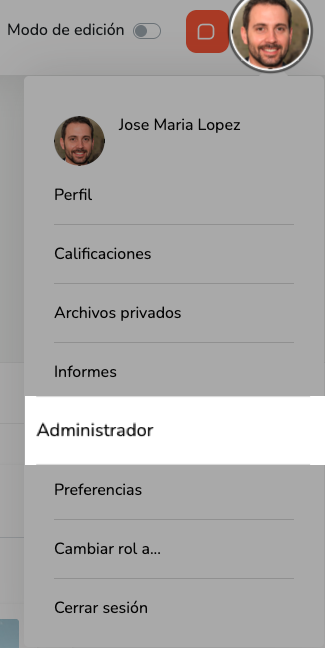
- Click the user icon in the top right corner of the screen and select "Administrator".
- The following screen will appear:
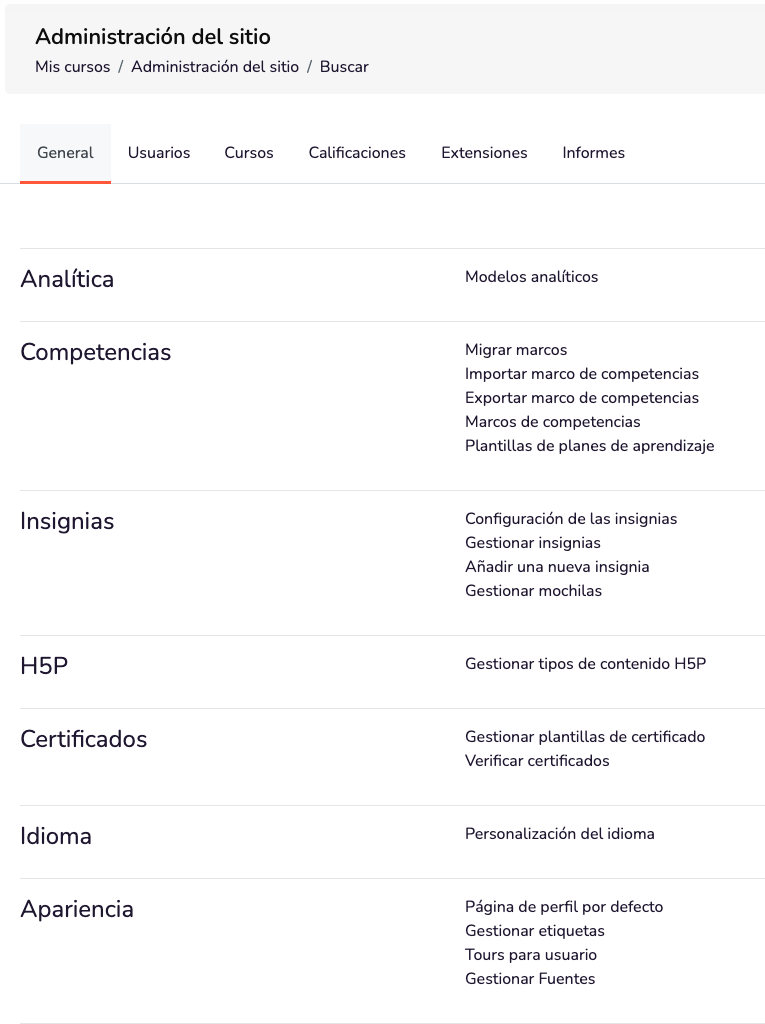
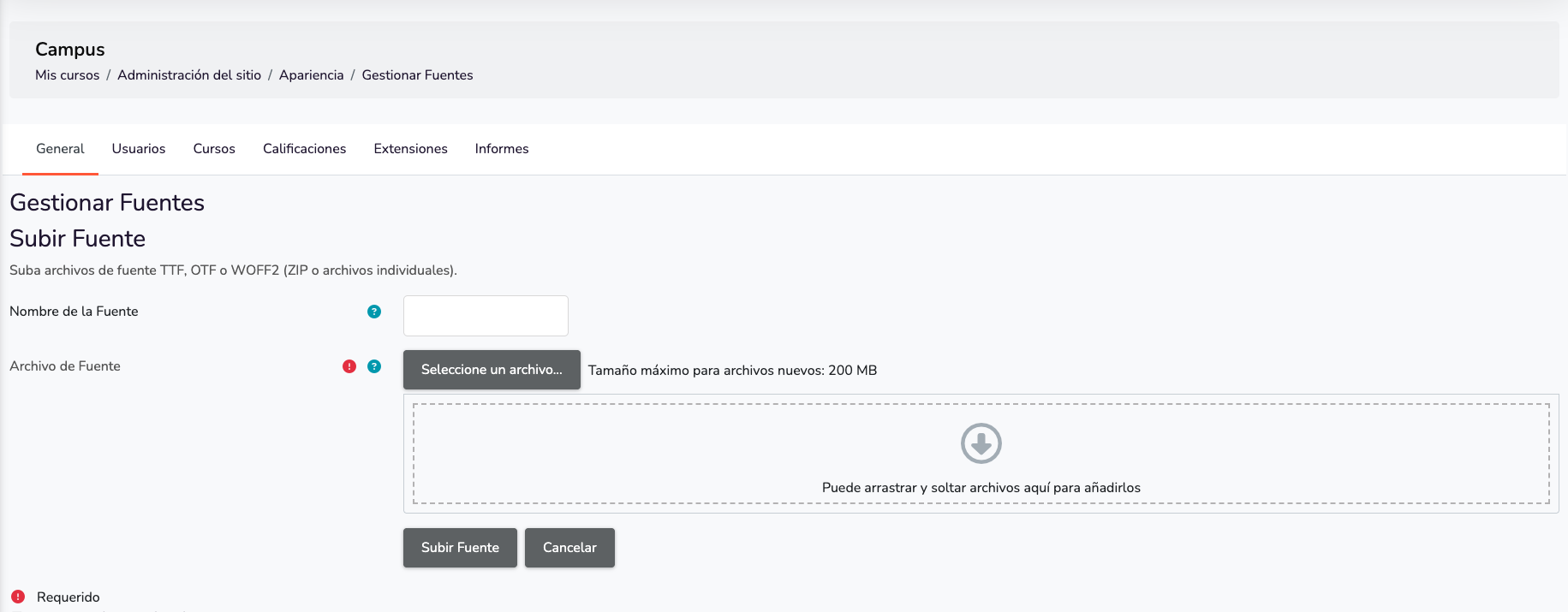
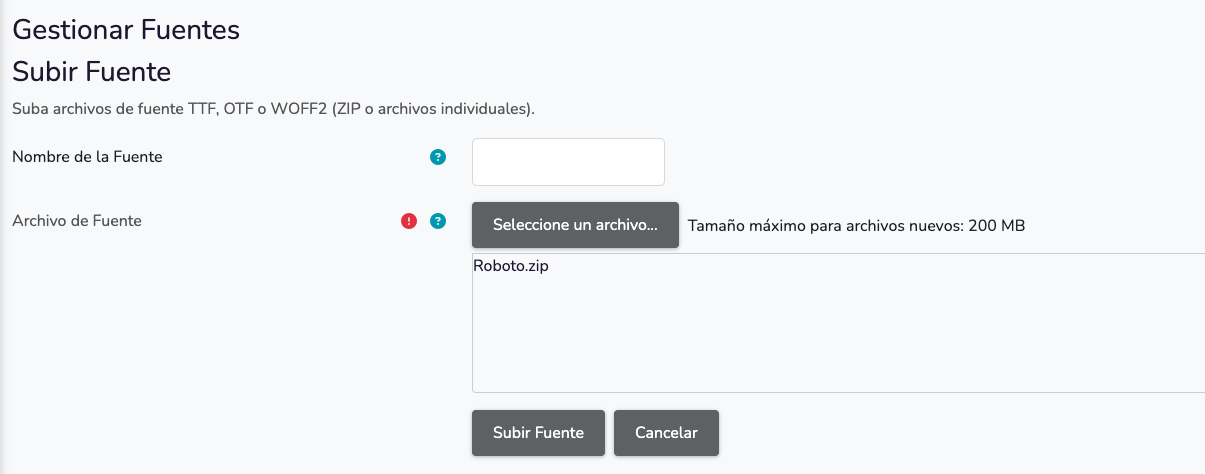
- Under Appearance, select "Manage fonts" and you will reach this screen. This section is divided into two parts:
- The first is where you can add the fonts you want.
- The second allows you to delete them.

-
Click "Select a file".
-
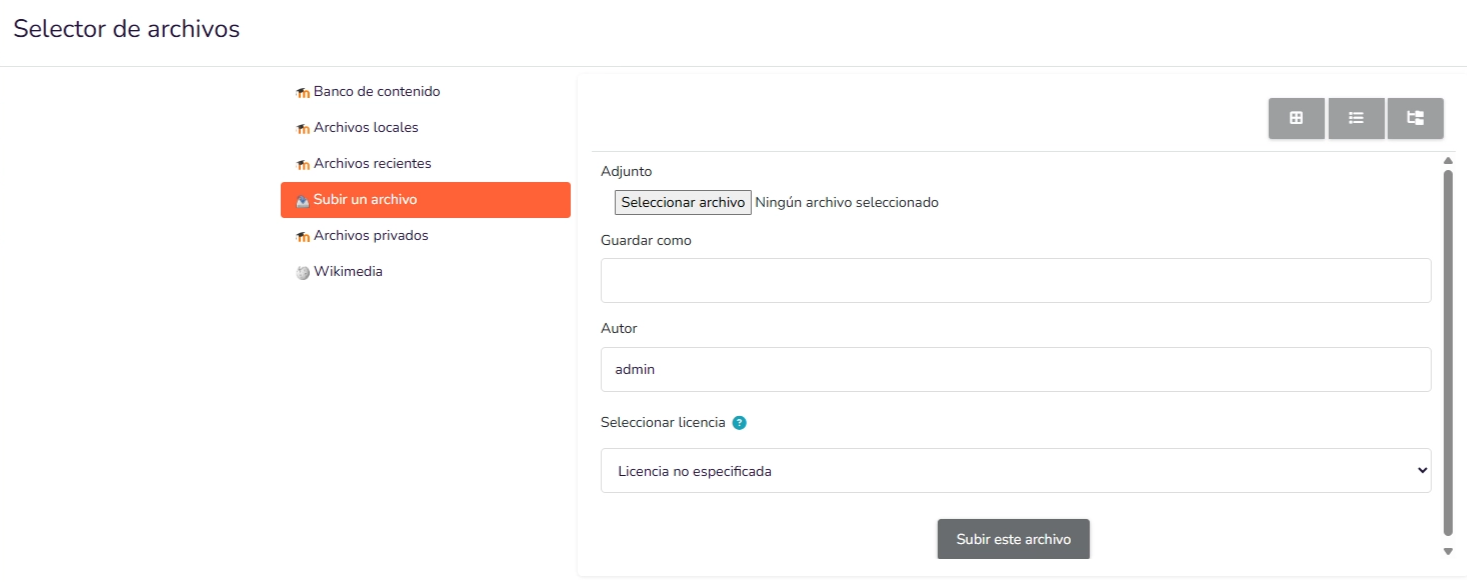
The following menu will appear:
-
Click "Choose file" and a window will open so you can locate the font file you want to add (multiple files can be selected). Select the file and click "Upload this file".
-
Finally, click "Upload Font" and the font is installed.
Example video
