Niviform
In Niviform you can create different types of forms for your company.
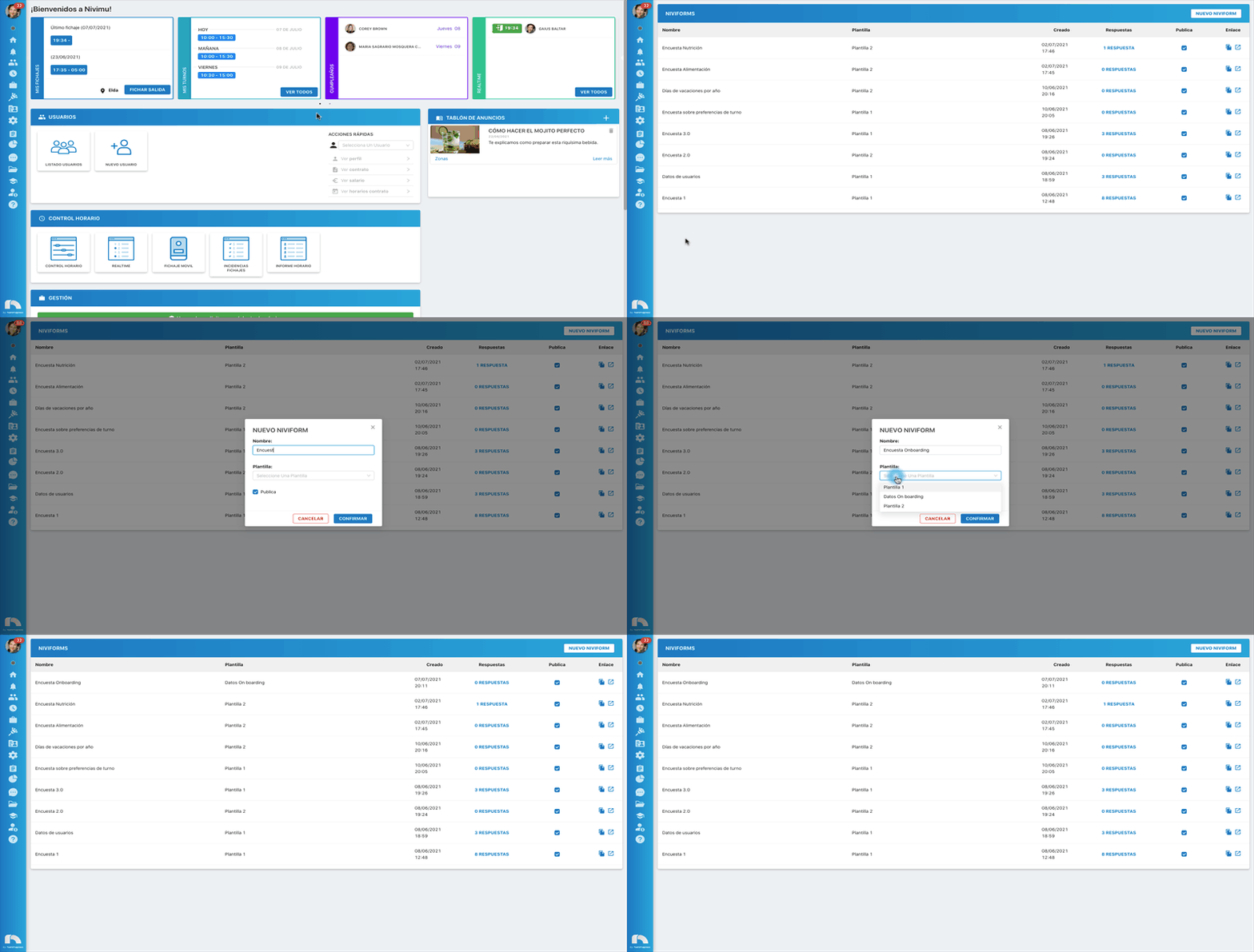
Create a Niviform
- Open the menu → Management → Niviform.
- Click New Niviform.
- Enter the Niviform name, e.g., Food Niviform.
- Choose a template from the dropdown.
- Enable Public if you want anyone in the company to see the survey.
- Once published, use the Link column: click Open in Browser to view it or Copy to copy the link and share/embed it.
Niviform responses
After creating a Niviform, you can review employee responses and accept or reject them:
- Menu → Management → Niviform.
- In the survey, click Responses.
- A modal opens showing responses. Click View Response to see the details.
- In Status, choose to accept or reject the response.