General Documents
From Management → General Documents you can store files in specific company zones so positioned employees always have access. You can also target all zones for company-wide documents (evacuation plan, internal rules, etc.).
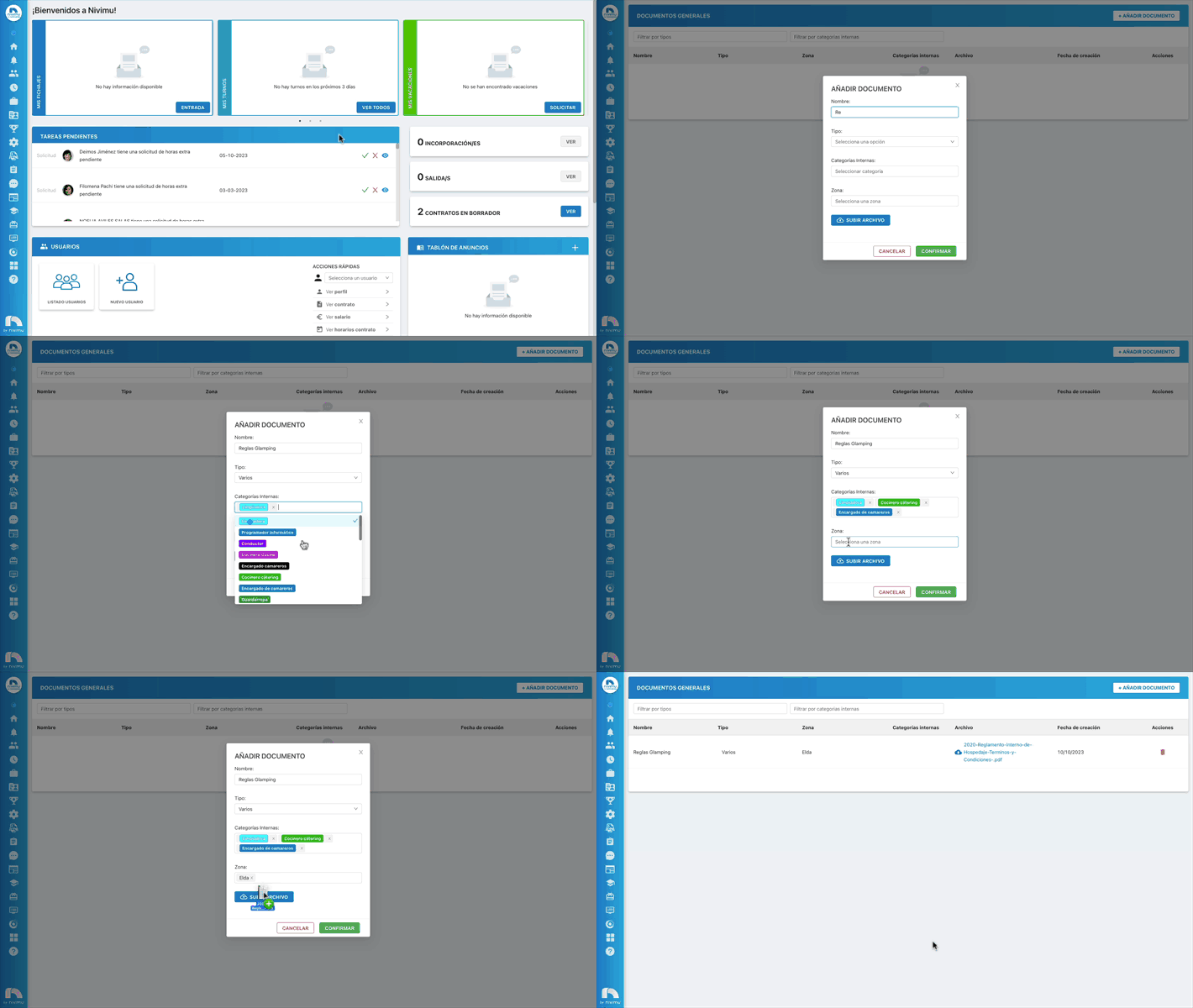
Add a document
- Menu → Management → General Documents.
- Click Add Document.
- Enter the Document name.
- Choose the Document type from the list.
- Select the internal categories where the document will be available.
- Select the zones where it will also be available.
- Click Upload File and pick the file.
- Click Confirm.
- To delete, click the trash icon next to the file.
- Use Filter to filter by document type.
Note
By default only the "various" type appears. To add more folder types, contact Nivimu with the list of needed document types.