Create a New User
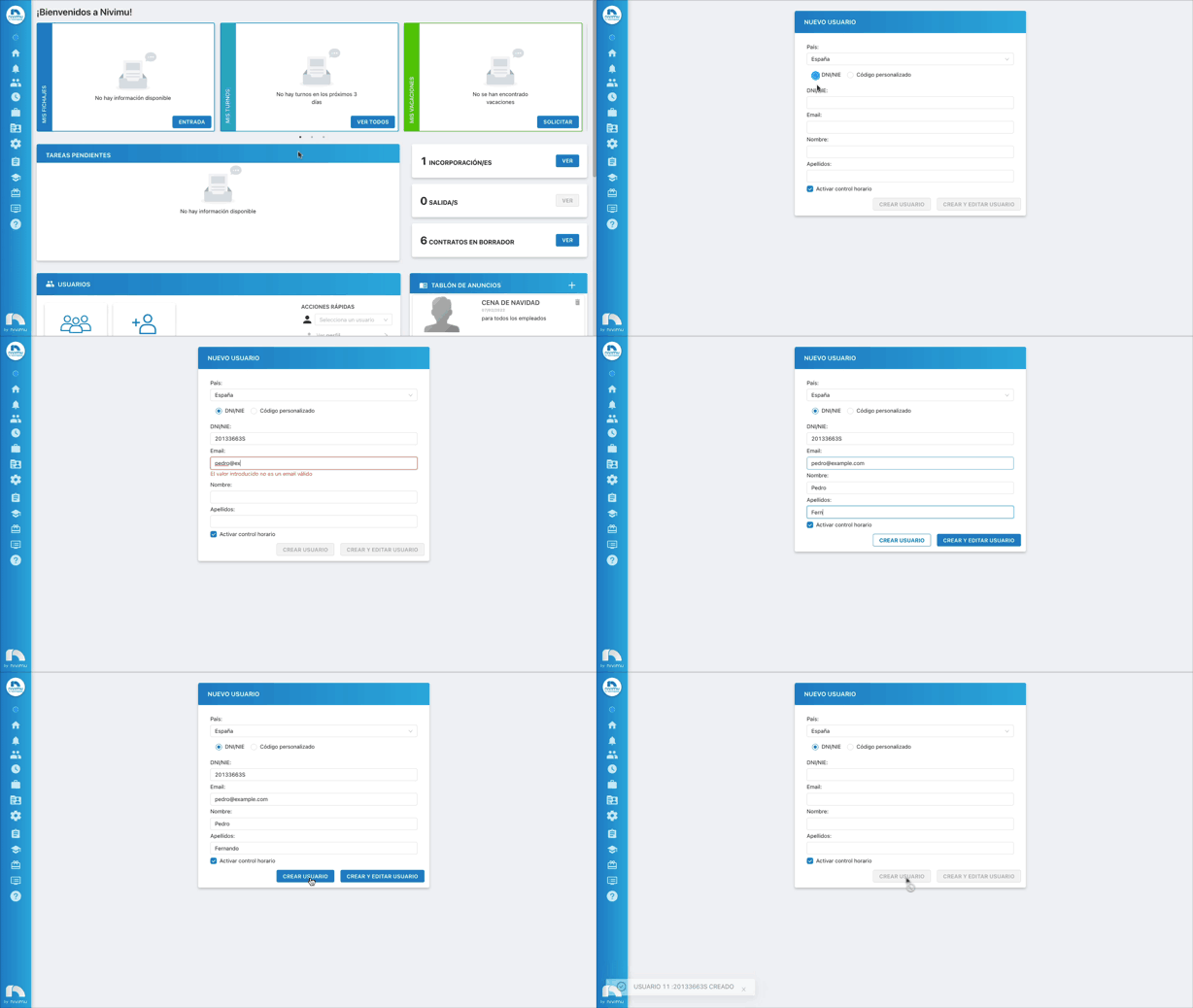
New user with DNI/NIE
-
Sign in with your credentials.
-
Menu → Users → New User.
-
Choose the user's nationality.
-
Select DNI/NIE.
-
Enter:
- DNI/NIE
- First name
- Last name
-
To enable time tracking, check Enable time tracking. If you forget, you can enable it later in Information on the user's profile.

-
Click Create User.
Note
The user can set their password at first sign-in.
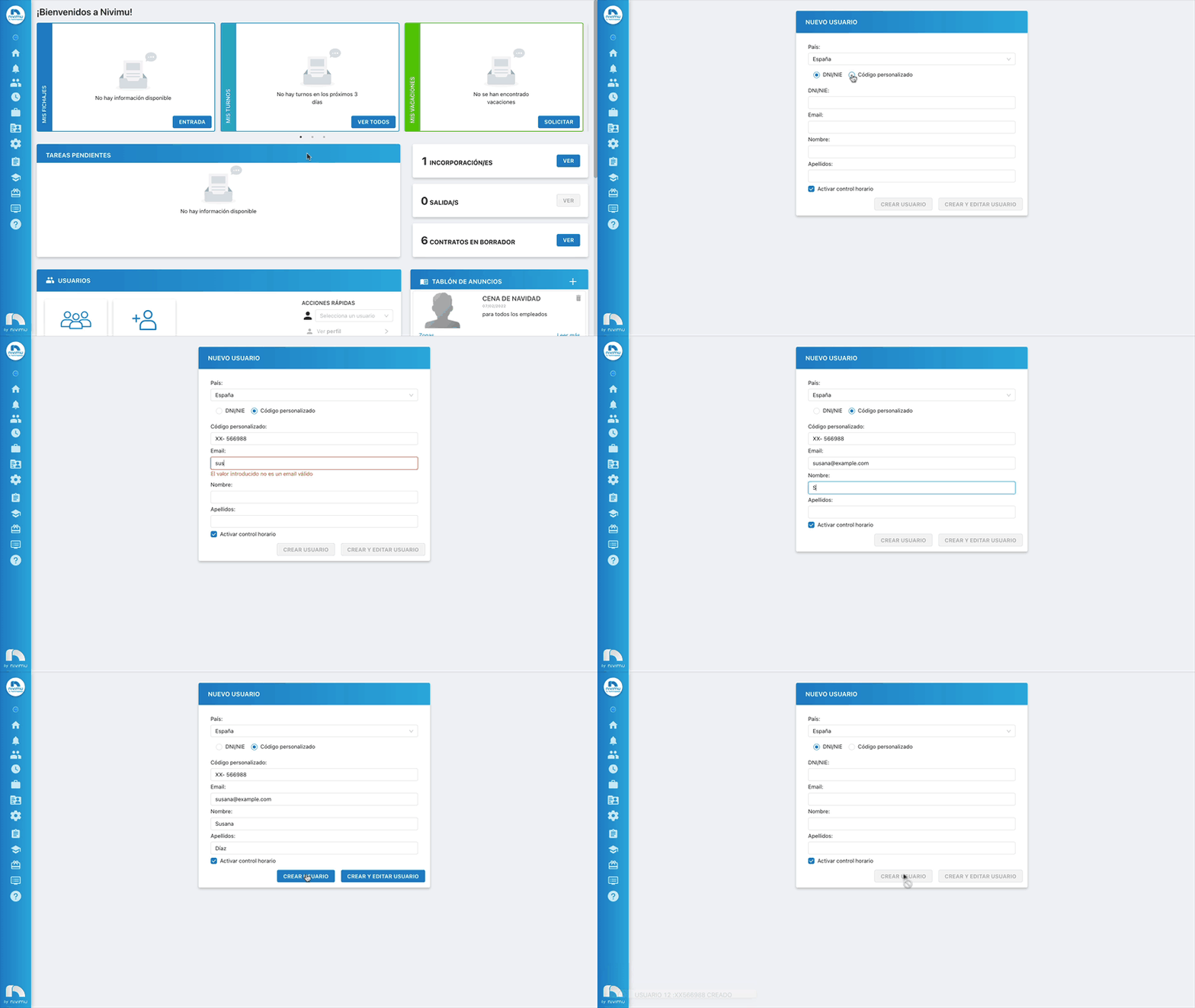
New user with custom code
If the user has no DNI/NIE yet, create them with a custom code.
-
Sign in.
-
Menu → Users → New User.
-
Choose nationality.
-
Select Custom code under Choose a document. The code must start with XX and have 6 numbers.
-
Enter:
- Custom code
- First name
- Last name
-
To enable time tracking, check Enable time tracking (or enable later in Information).
-
Click Create User.