Contract Positions
Contract positions
Employee positions are critical for correct app behavior. Without a position, a user cannot get shifts or access the information tied to that position. There are three position types:
- Staff: standard employee. Can only view their own info; cannot edit it.
- Supervisor: oversees a specific zone. Can only view employees below them; cannot edit them.
- Manager: admin for a specific zone. Can view and edit all employees below them.
To assign positions to an employee:
- Open the menu and go to User List.
- Find the employee and click View Profile.
- In the profile, click Positions.
- Click + Create Positions.
- In Contract Periods, choose the contract to assign positions to, then click Create position period.
- Assign company, site, area, etc. for the employee.
- Set the position type per zone: staff, supervisor, or manager.
- After adding all areas, click Assign Position. You can create as many positions as needed.
- Finally, click Save changes.

Position options
Expand a position to toggle options for that assignment:
PRIMARY: Marks the employee's main position. Primary positions show a star next to the name.
HIDE USER: Hides this user's position in lists.
EXCLUDE FROM SHIFTS: Hides the user's position only inside Time Tracking.
RECEIVE TASKS: Whether this position receives tasks.
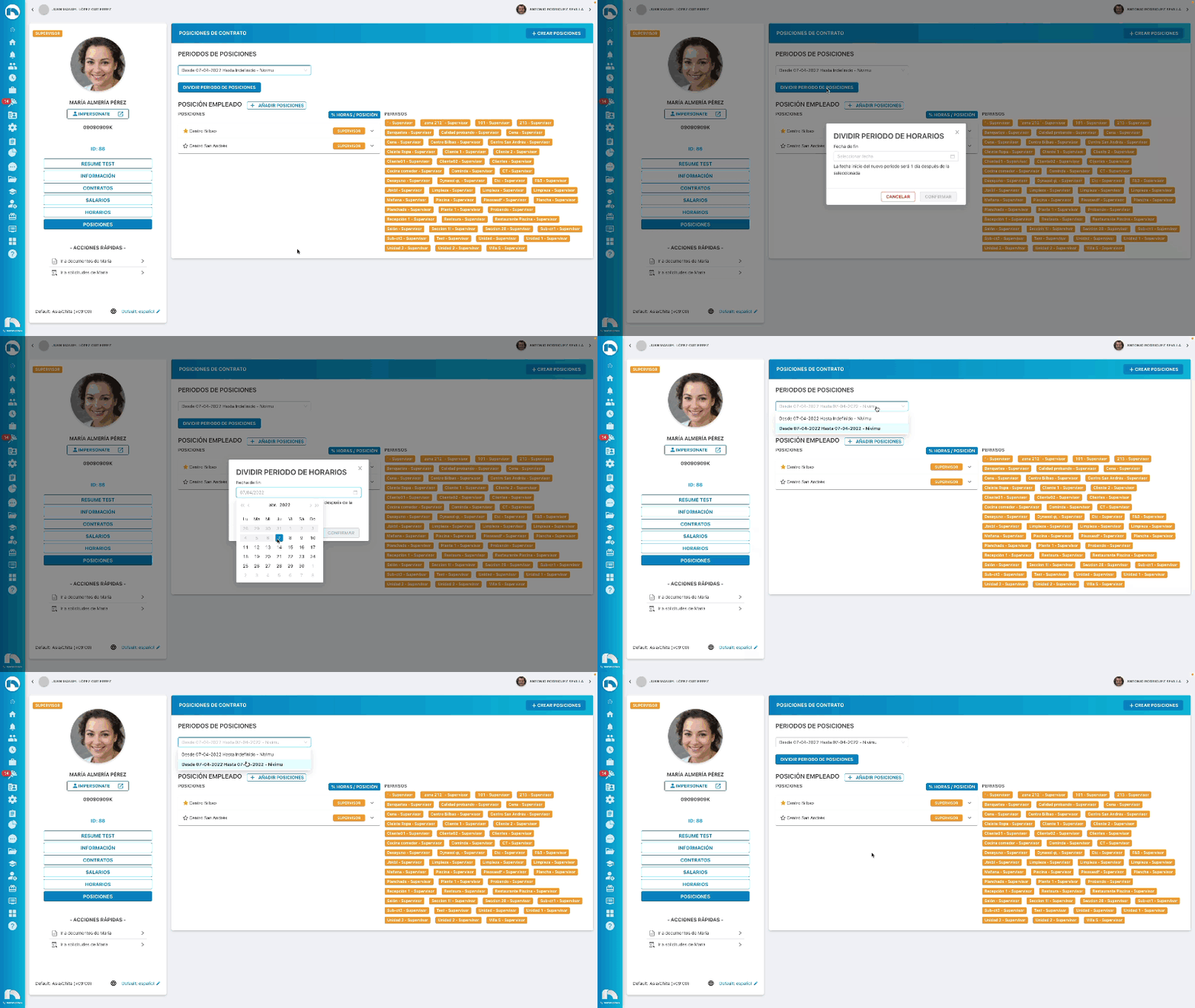
Split a position period
Below the selected contract period, click Split position period to set a date that starts a new position period.
Limit who sends requests to a manager
To route requests only from certain people (not the whole work center) to a manager, follow these steps:
Example: a director should only get requests from certain managers (sales, finance, etc.), not everyone.
- Create a zone inside the work center named "Dirección" (or similar).
- Set the director as manager of that zone.
- Create a second position for those managers (sales director, finance director, etc.) as staff in that zone and mark it primary.
Result: the director receives requests only from those managers, while they still receive requests from their own teams.