Resolve Expenses
After validation, expenses must be resolved by designated users.
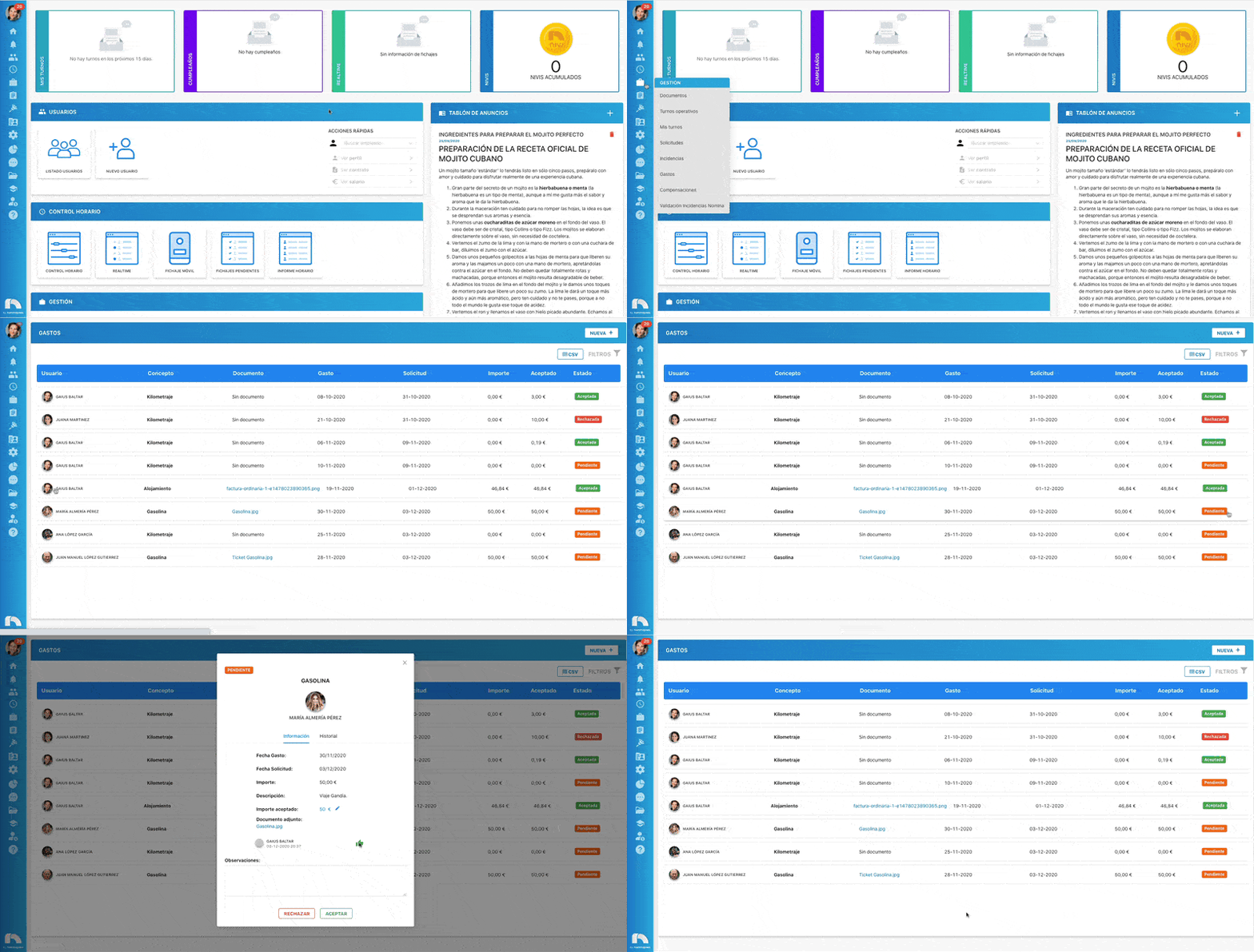
- Menu → Management → Expenses.
- The table shows published expenses.
- Select the expense pending resolution.
- A window opens with the expense details.
- If the published amount is wrong, adjust Accepted amount*.
- Add Notes if needed.
- Click Accept or Reject to resolve.
Note 1
Accepted amounts cannot be changed after the expense is resolved.
Note 2
If an expense was rejected, it cannot be changed to Accepted.
Note 3
Once accepted, if contracts are published, the expense will flow to Payroll Incidents Validation for payroll handling.