Validate Expenses
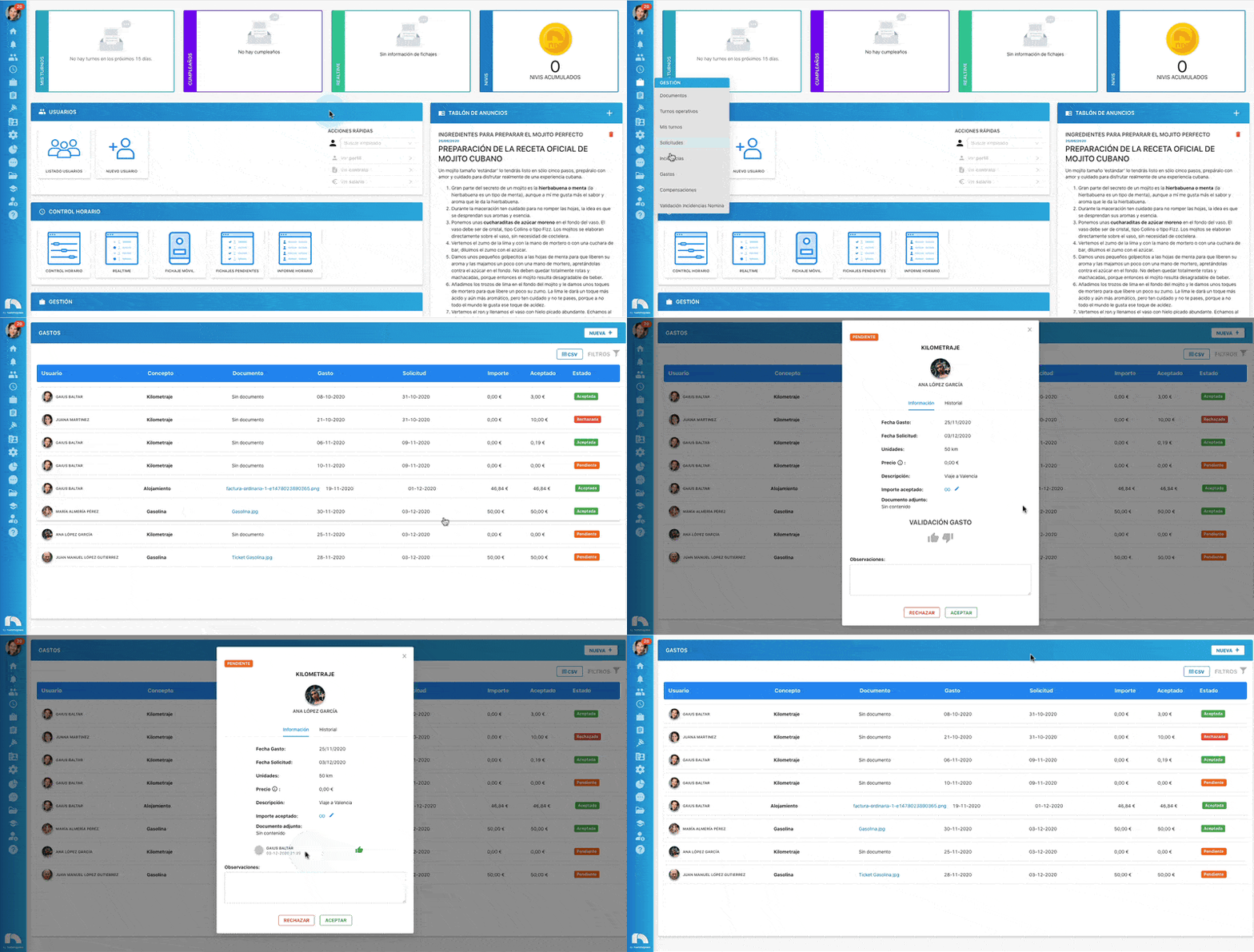
Once an expense is published, it must be validated by assigned users.
- Menu → Management → Expenses.
- The table shows published employee expenses.
- Select the expense pending validation.
- A window opens with expense details:
- Expense date: when it occurred.
- Request: when it was requested.
- Description: expense description.
- Accepted amount: adjust the amount the company approves.
- Attachment: documents provided by the employee.
- In Notes, add any remarks.
- Click 👍 to approve or 👎 to reject.