Archived Notifications
Move notifications out of Received into Archive.
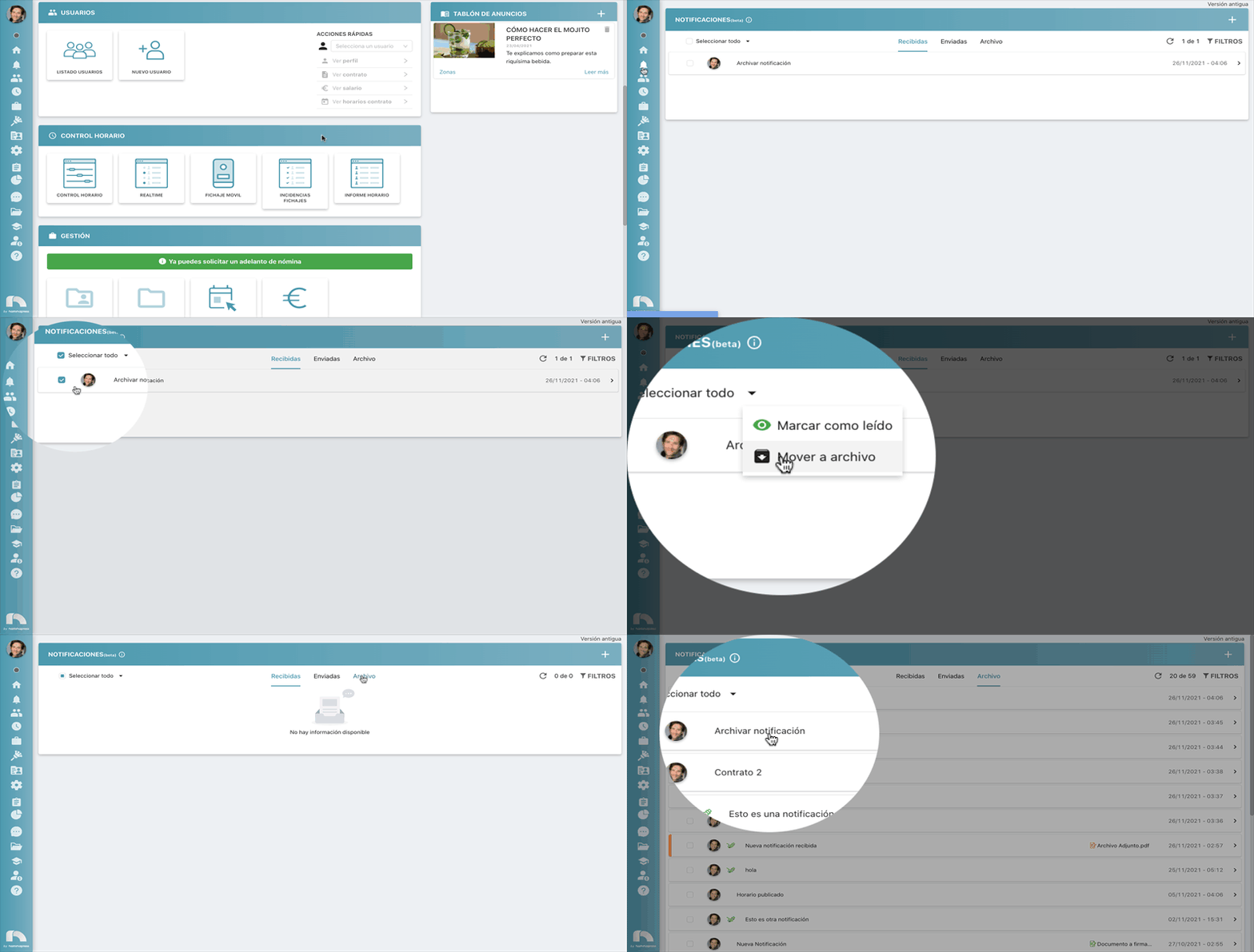
- Menu → Notifications.
- In Received, select the notification to archive.
- Open the selection actions menu (Select all) and choose Move to archive.
- The notification appears under Archive.
Filter archived notifications
- Menu → Notifications → Filters
 .
. - Filter by Dates, Title, or Type (normal, published shifts, generated contracts).
- Click Reset to clear filters.
- Click Apply.