Regularize Hours
Hour bank categories:
- Worked days off: days off worked (or owed). Defaults Mon–Fri worked, Sat/Sun off unless user schedule overrides.
- Worked holidays: holidays worked (or owed).
- Hour balance: over/under vs. contract (e.g., 36h + 44h on 40h/week → 0h).
Important
If totals look wrong, do not patch with a regularization—first verify contract fields or contact support.
Regularize hours either with money or with time off.
Regularize hours with money
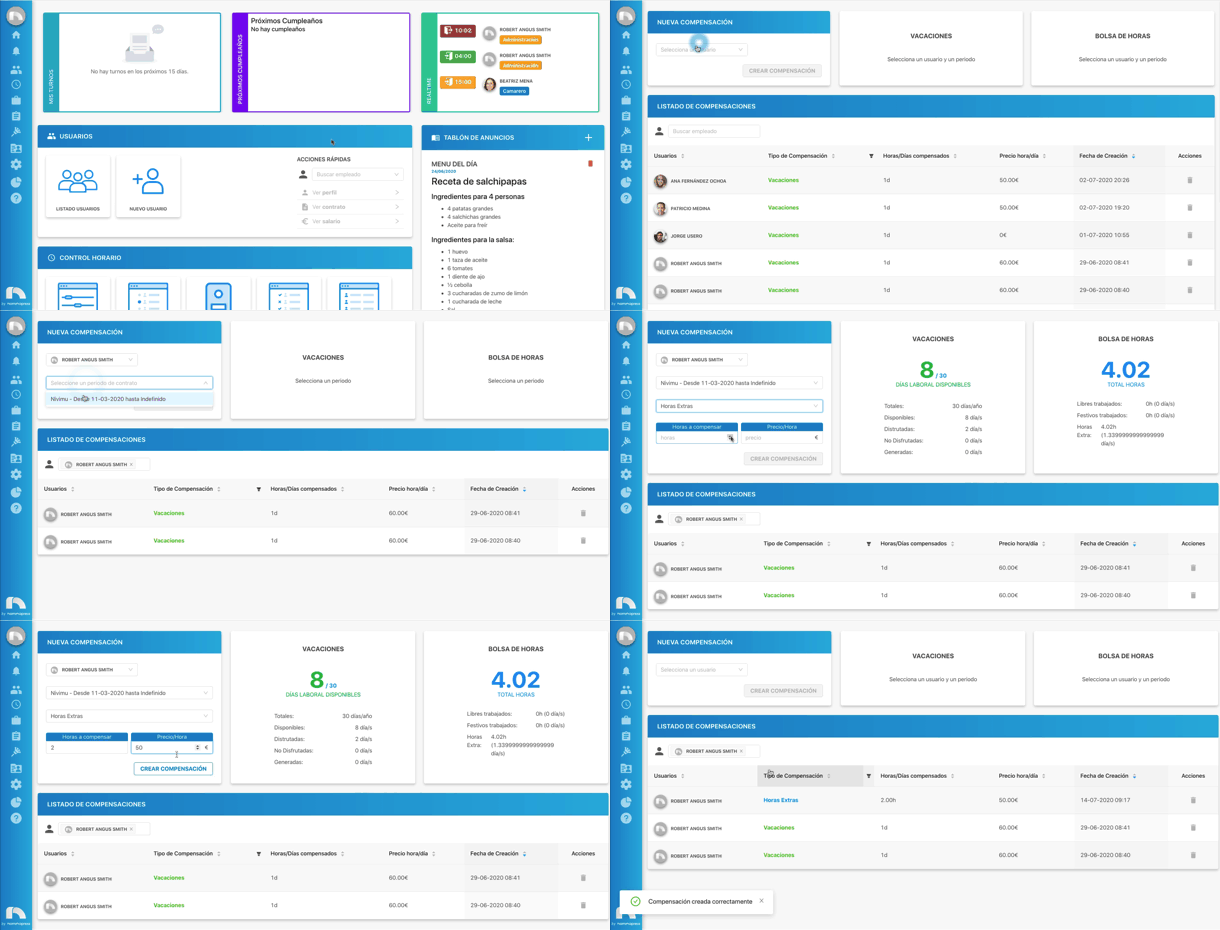
- Menu → Management → Regularizations.
- In New regularization, pick Select a user.
- Choose the contract period.
- View accumulated hours.
- Choose type: Overtime, Worked days off, or Worked holidays.
- Enter hours to regularize and price/hour. Click Create Compensation.
Important
If you request more hours than available, an error appears.
Regularize hours with days off
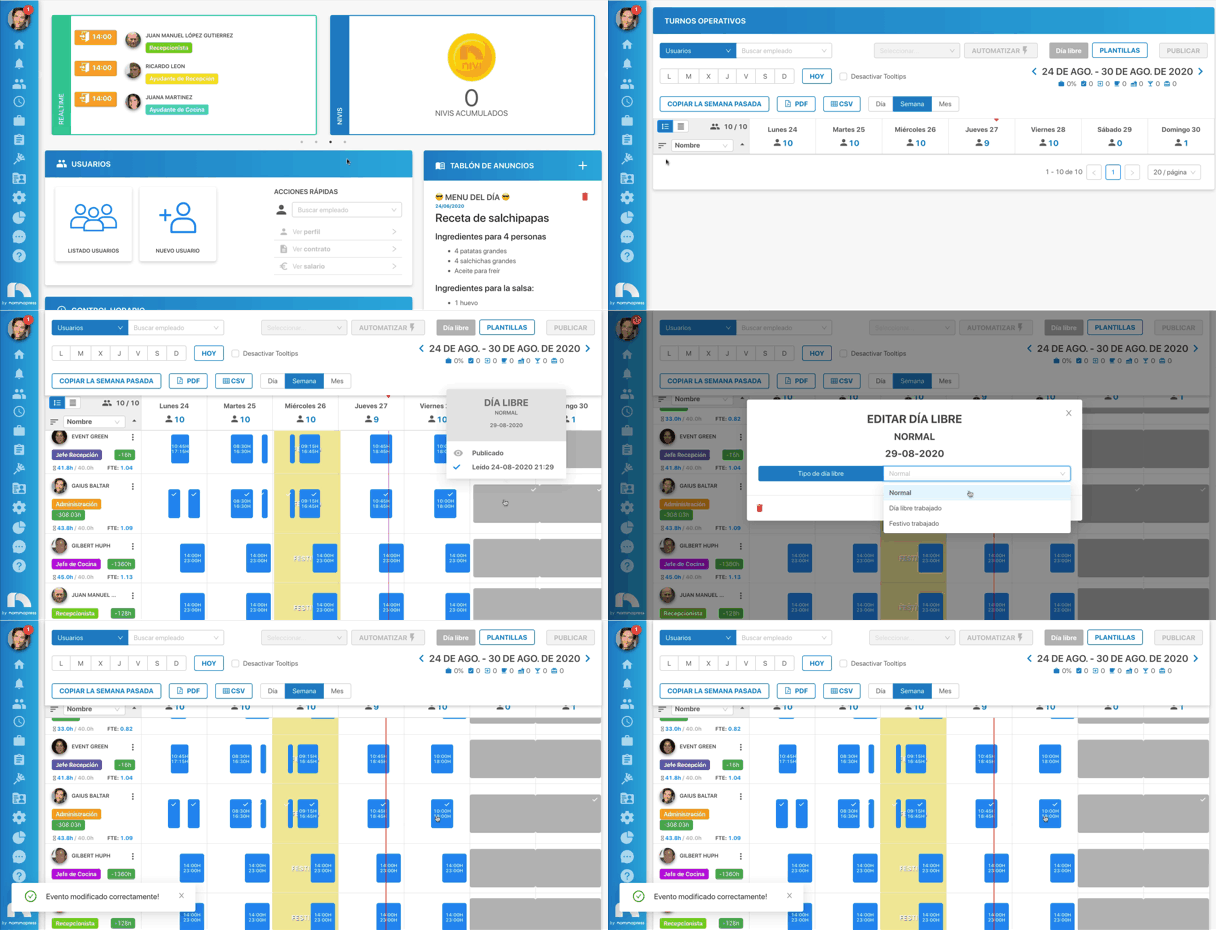
- Menu → Management → Time Tracking.
- In the week table, find the employee.
- Select/create the day off and click it.
- Choose day off type: Normal, Worked day off, or Worked holiday.
- For regularization, pick Worked day off or Worked holiday.
- Click Confirm to save.
- When the date arrives, the regularization applies automatically.