Salary Period
Adjust salary periods to fixed terms or indefinite. To add a new salary when one exists, Split salary period and pick the end date (new starts the next day), then Confirm and edit the new salary.
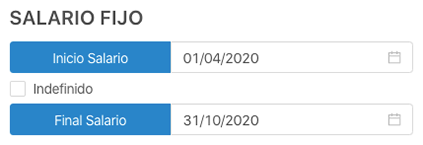
Fixed-term salary
- Menu → User List.
- Find employee → View Profile.
- Click Salaries.
- In Salary, set start and end dates.
- Fill remaining fields; Save or Save and Publish.
Indefinite salary
- Menu → User List.
- Find employee → View Profile.
- Click Salaries.
- In Salary, set start date and check Indefinite (end date disabled).
- Fill remaining fields; Save or Save and Publish.

Note 1
You can set a probation period by filling End probation period when creating the salary.
Note 2
Once published, salary data cannot be edited unless reverted to draft.