Contract Documents
Upload offer, acceptance, contract, or Form 145 files to a contract.
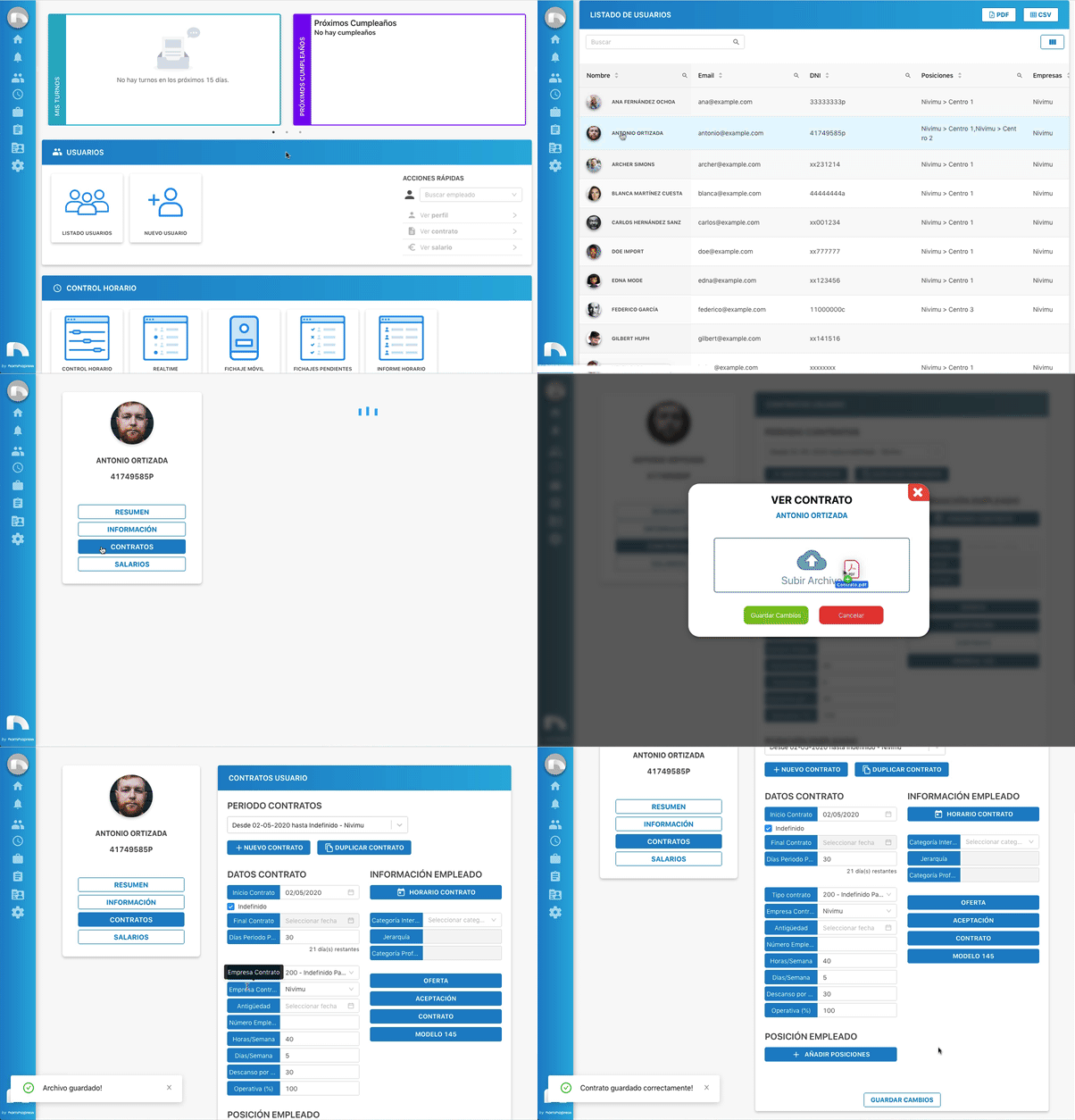
- Menu → Users → User List.
- Find employee → View Profile.
- Click Contracts.
- In Contract Periods, select the contract.
- In Documents, click the button for the file you want: Offer, Acceptance/Call-up, Contract, or Form 145.
- Select the file and click Save changes.
Note
Only .pdf files are allowed.