End Contract
How to finalize a contract, depending on whether payroll is integrated.
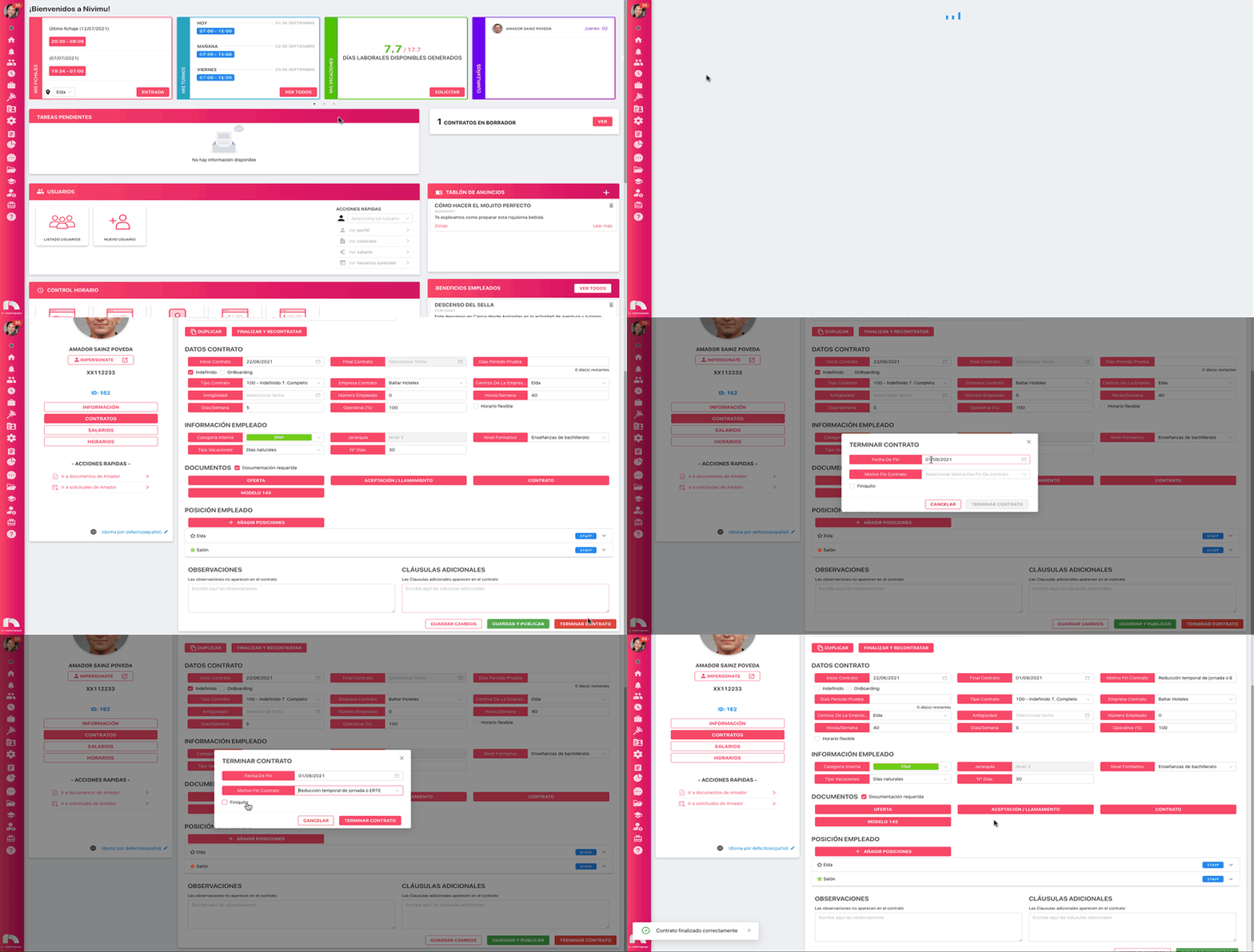
With payroll system integration
- Menu → Users → User List.
- Find employee → View Profile.
- Click Contracts.
- Click End Contract.
- Set Contract end date.
- Choose End-of-contract reason.
- Check Severance if applicable.
- Click End Contract.
Without payroll integration
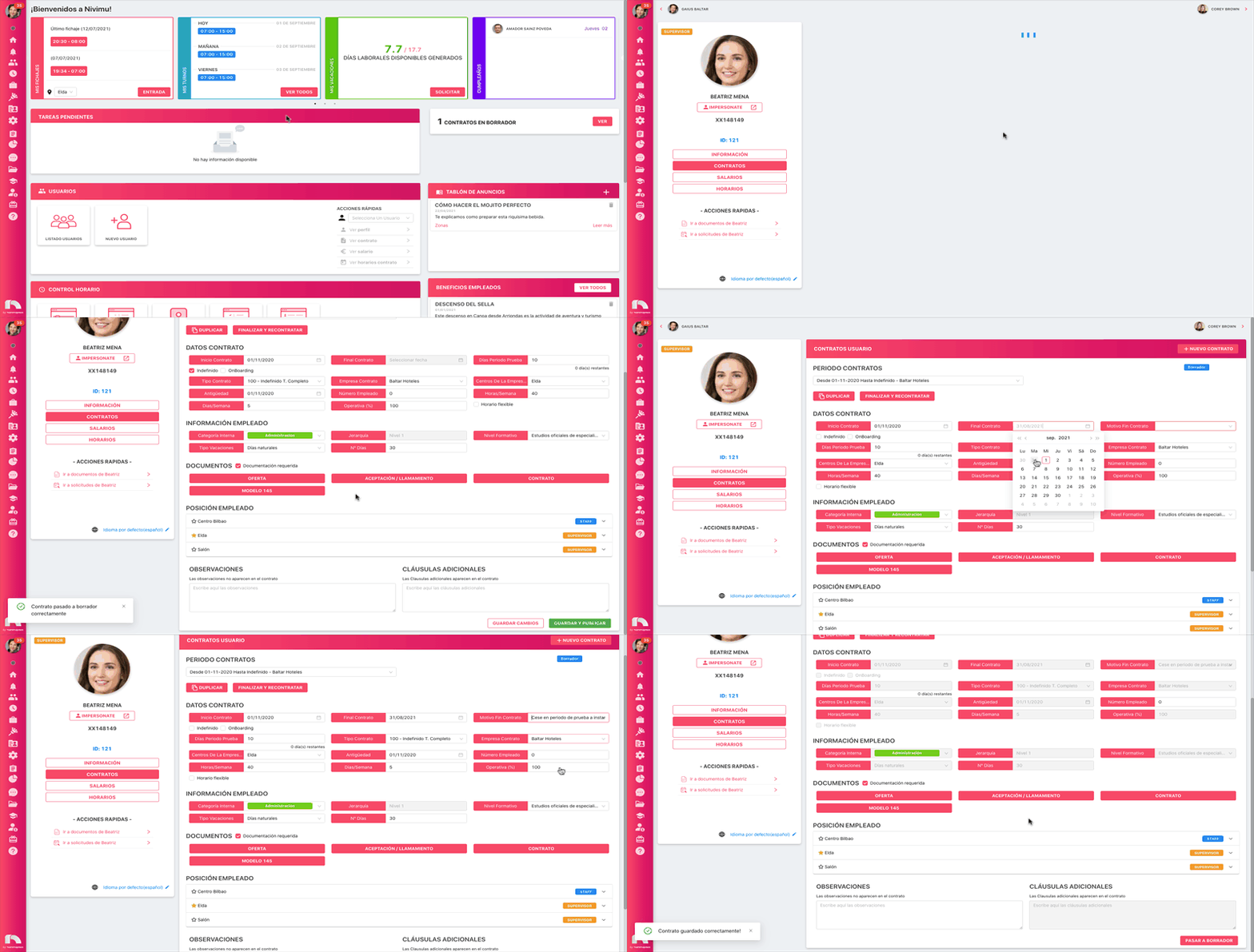
If the contract is indefinite
- Menu → Users → User List.
- Find employee → View Profile.
- Click Contracts.
- In Employee Information, click Contract.
- At the bottom, click Move to draft → Confirm.
- In Contract data, uncheck Indefinite.
- Set Contract end date.
- Choose End-of-contract reason.
- Click Save and publish → Confirm.
If the contract has a fixed term
- Menu → Users → User List.
- Find employee → View Profile.
- Click Contracts.
- In Employee Information, click Contract.
- At the bottom, click Move to draft → Confirm.
- Change Contract end date as needed.
- Choose End-of-contract reason.
- Click Save and publish → Confirm.
