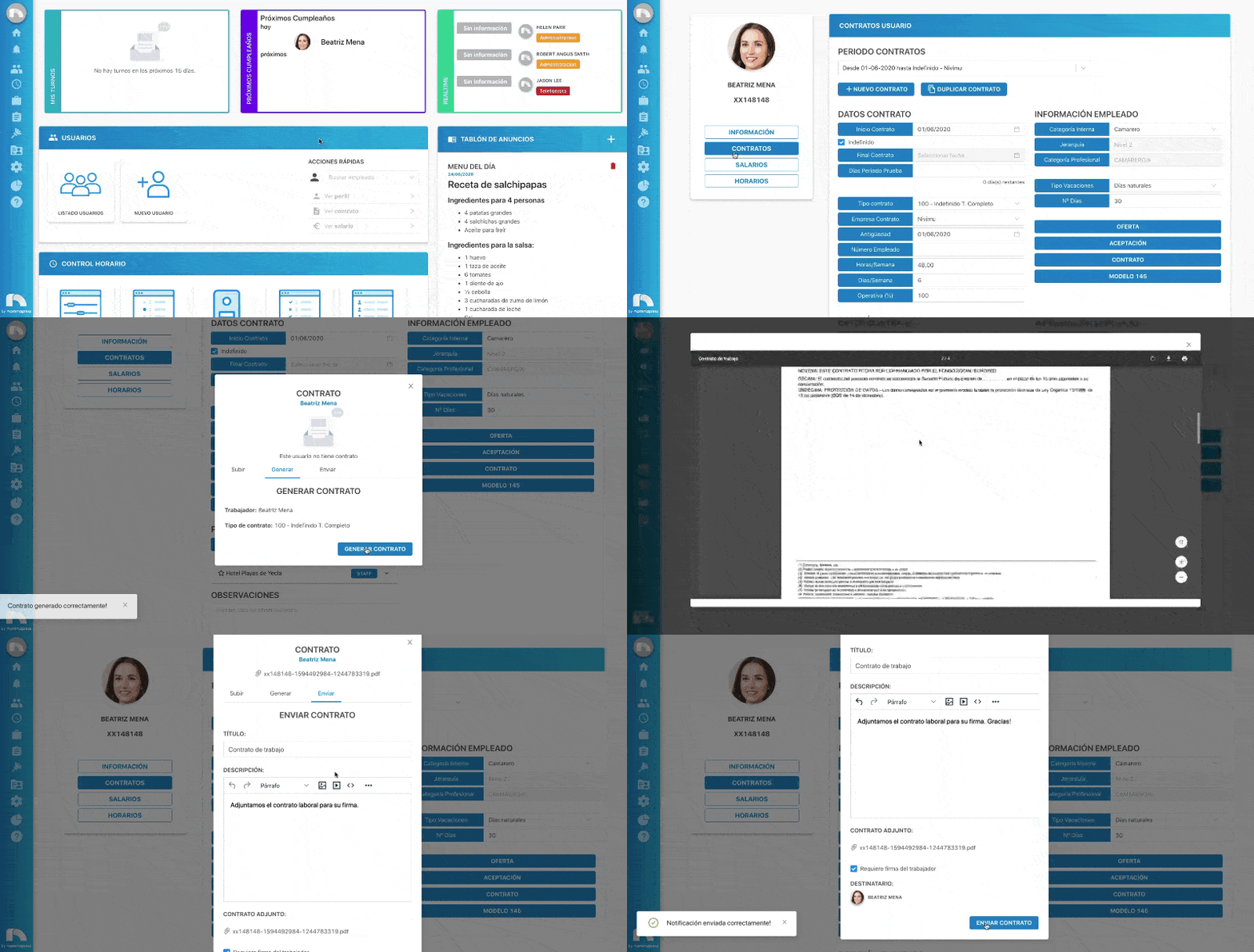
Generate Contract
Automatically generate a contract and send it for signature.
- Menu → Users → User List.
- Find employee → View Profile.
- Click Contracts.
- In Employee Information, click Contract.
- In Generate, click Generate Contract to create it.
- Once generated, click Send.
- Enter the notification title and message.
- Check Requires worker signature if needed.
- Click Send Contract to deliver it.