End and Rehire
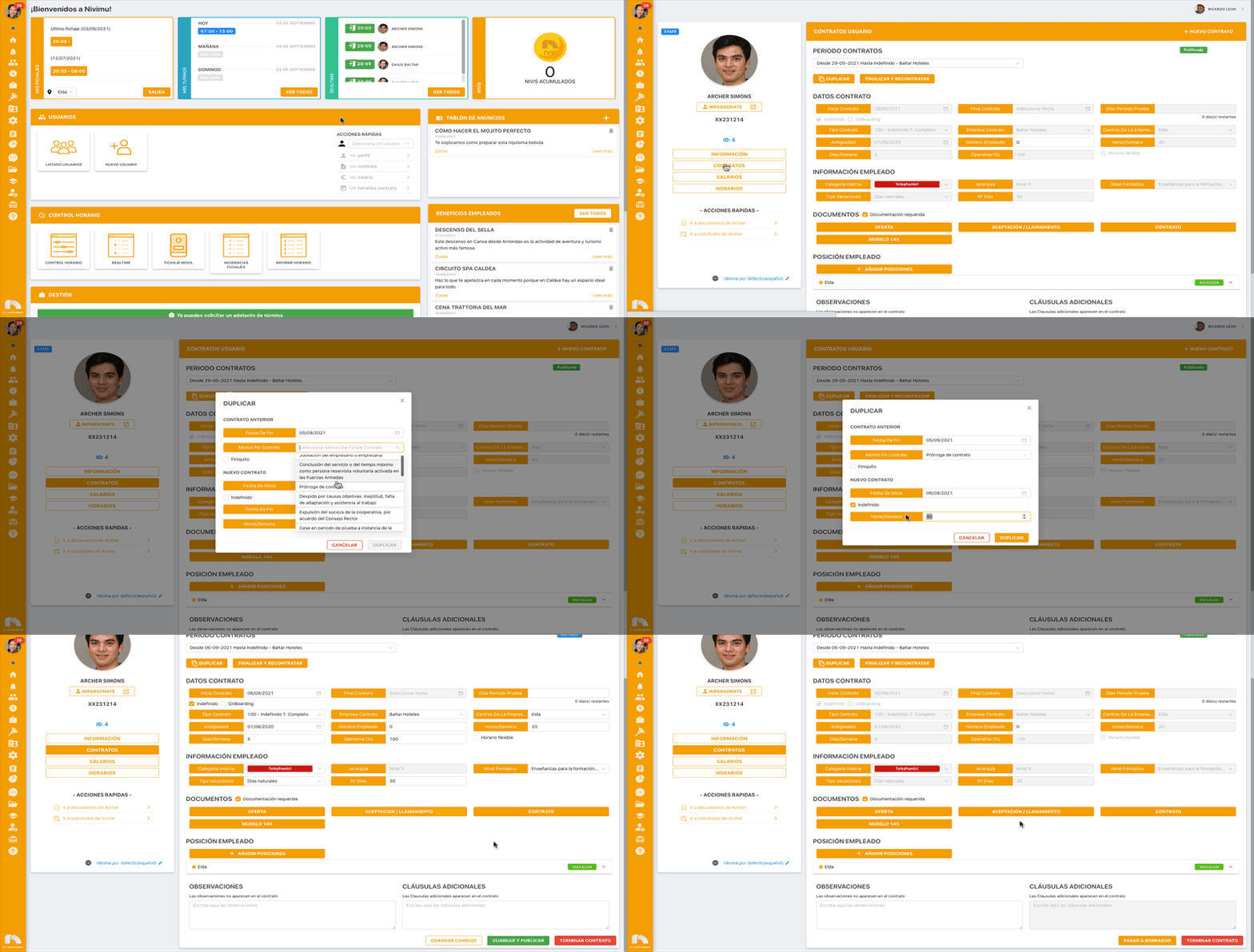
To end a contract and immediately rehire:
- Menu → Users → User List.
- Find employee → View Profile.
- Click Contracts.
- In Contract Periods, click End and rehire.
- In Previous Contract, set the end date.
- Choose End-of-contract reason.
- Check Severance if applicable.
- In New Contract, set the start date.
- Optionally check Indefinite.
- Set Contract end date (if not indefinite).
- Set Hours/Week for the new contract.
- Click End and rehire.
- Click Save and publish.
Note for BI module users
To avoid BI issues when moving a worker between companies, set the end reason to "Resolución de la persona trabajadora por traslado" (worker termination due to transfer).