Change Profile Photo
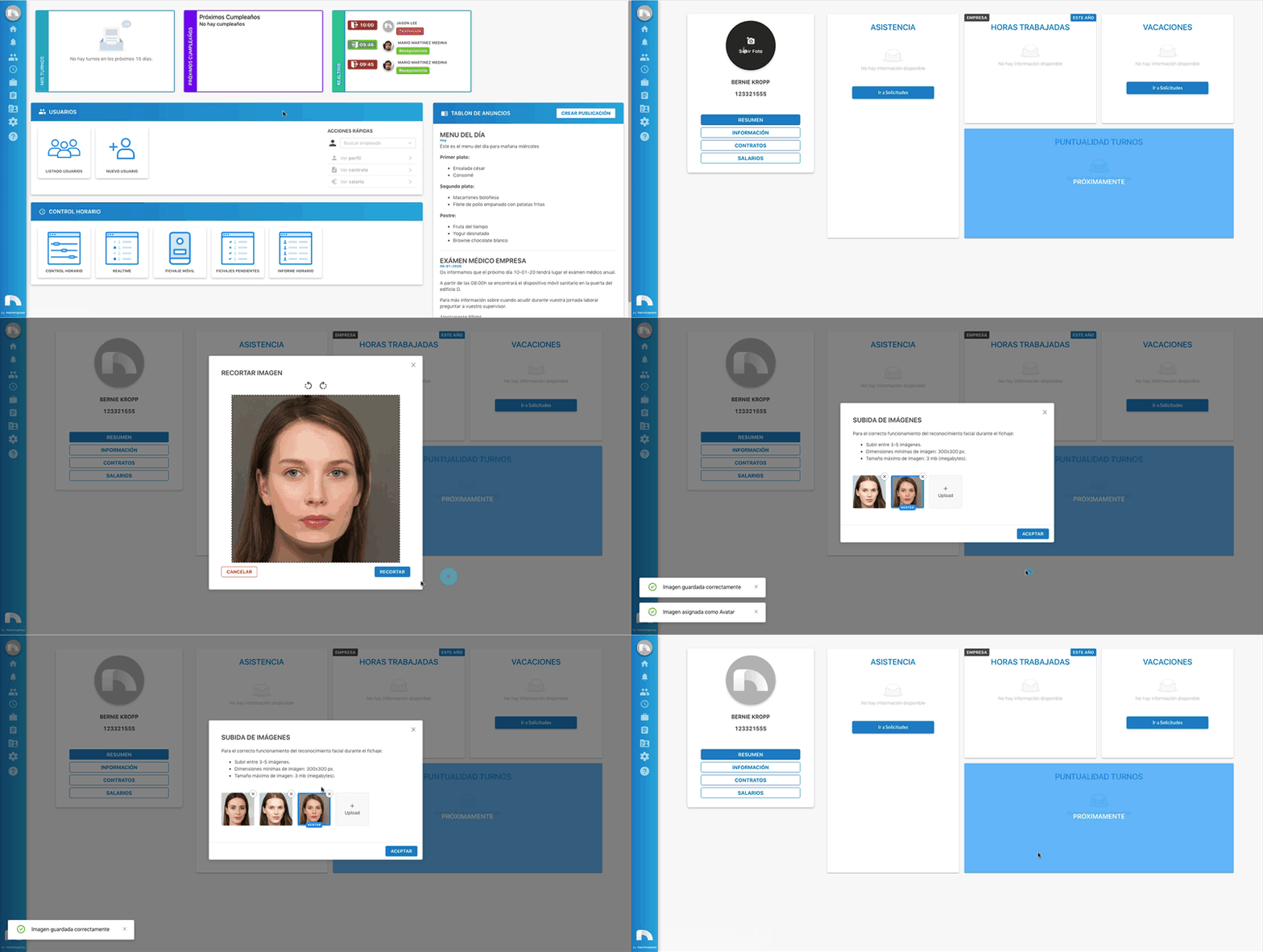
To add a new photo or change the existing one:
-
Open the app menu and click View Profile.
-
Once accessed, hover the cursor over the profile photo and click Upload Photo.
-
Click the + Upload button in the new window that opened and select the file you want and click Open, or drag the photo directly to + Upload.
-
A new window appears where you choose the size and section of the photo that will display in the profile.
-
Move the circle to the part of the photo you want to show in the profile.
-
Increase or decrease circle size by dragging any corner.
-
Repeat steps to upload remaining images to complete facial recognition profile.
-
Finally, click Accept.